 Camera
 Cloud AI
Silver bob preset
Browser-based · No subscription · Live below
Use a browser-based Swapface alternative on Mac, Windows, or mobile with no desktop installer or local GPU. Start with a free trial right here, then pay per use with one-time credits.
FreyaVideo runs in your browser via cloud AI without installing a native virtual-camera driver. To send the feed into Zoom, Google Meet, or Discord, bridge the tab with free OBS Window Capture. If you stream daily on a Windows NVIDIA rig and need a built-in desktop virtual camera, Swapface remains a practical choice. Read the Zoom / Meet / OBS setup guide
New accounts get 60 seconds free
Use only your own face or characters. No sexual content or impersonation. See Terms.
From $4.99 ≈ 10 live minutes · 60s free trial for new accounts after sign-in
Camera preview is free and needs no account.
Become another person: face, hair and outfit.
Freya does not record your camera. While a session runs, video is processed by XMAX in real time.
Real cloud output
Every clip and before/after pair below was captured straight from a live cloud session with zero post-editing. Alongside character replacement, this browser studio switches full-frame webcam restyles in the same tab.
Unedited browser capture: switching character presets and full-frame visual styles from one standard webcam.
CameraCloud AISilver bob preset
 Camera
 Cloud AI
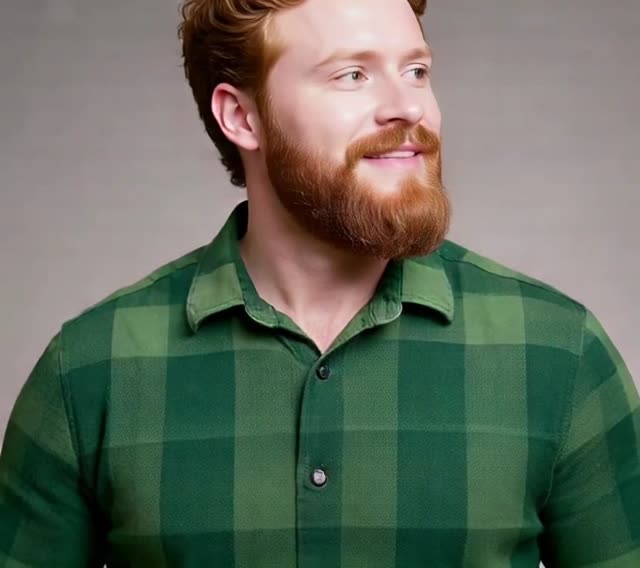
Red beard preset
 Camera
 Cloud AI
Pink hair preset
 Camera
 Cloud AI
Blue jacket preset
Objective comparison
Swapface targets desktop streaming setups with local GPUs, while FreyaVideo focuses on zero-install browser access and pay-per-use credits. Choose based on your hardware and how often you go live.
| Category | FreyaVideo (Cloud Browser) | Swapface (Desktop App) |
|---|---|---|
| Installation | Runs straight in Chrome, Safari, or Edge—launch right on this page with zero downloads. | Requires downloading and updating a desktop application. |
| Platform support | Works on Mac, Windows, and mobile browsers with a camera. | Built primarily around Windows desktop hardware; limited fit for Mac and mobile users. |
| GPU requirement | Cloud GPUs handle inference; integrated graphics and MacBooks run smoothly. | Relies on a capable local GPU (typically dedicated NVIDIA hardware) for real-time frame rates. |
| Pricing & billing | New accounts receive a 60-second free trial. After that, live AI video uses 30 credits per minute, billed by the second from the first AI frame and rounded up to a whole credit per session. The Mini pack is $4.99 for 300 credits and Starter is $9 for 600 credits. Both are one-time purchases with no subscription. Credits in both packs remain valid for 365 days. | Desktop plans commonly rely on recurring subscriptions or tier commitments that add up for occasional use. |
| Creative styles | Includes character presets, custom portrait upload, plus 6 full-frame real-time restyles in one tab. | Focused primarily on face replacement inside the desktop streaming app. |
| Zoom / OBS virtual camera | No native virtual-camera driver; capture the browser window with free OBS Studio for Zoom, Meet, or Discord. | Built-in desktop virtual camera designed for dedicated local streaming rigs. |
| Where processing runs | Cloud AI processes the camera stream and reference image while your session is active. | Runs locally on your computer’s GPU. |
| Best for | Mac, laptop, or mobile users who want pay-per-use webcam effects without a subscription. | High-frequency Windows streamers with a dedicated GPU who want a native desktop virtual camera. |
Who should choose which
Start in 3 steps
Use the live camera panel directly on this page—no installer or graphics driver updates.
Select a fictional character, switch to a real-time art style, or upload a portrait you have permission to use.
Sign in to unlock your 60-second free trial and see cloud AI output instantly.
FAQ
New accounts receive a 60-second free trial. After that, live AI video uses 30 credits per minute, billed by the second from the first AI frame and rounded up to a whole credit per session. The Mini pack is $4.99 for 300 credits and Starter is $9 for 600 credits. Both are one-time purchases with no subscription. Credits in both packs remain valid for 365 days.
Yes. Because inference runs on cloud GPUs, you only need a modern browser and webcam on macOS, Windows, or mobile—no dedicated graphics card required.
No auto-renewal. Mini is $4.99 for 300 credits and Starter is $9 for 600 credits. You are billed per second only while live AI frames run. Credits in both packs remain valid for 365 days.
FreyaVideo does not install a native virtual-camera driver, but you can capture the browser window in free OBS Studio and select OBS Virtual Camera in Zoom, Meet, or Discord (follow our linked setup guide).
Yes. Every eligible new account gets a 60-second free trial right in the embedded studio on this page, with zero software downloads.
If you already own a Windows PC with a strong local NVIDIA GPU and need a native desktop virtual camera for long daily livestreams, Swapface remains well suited to that workflow.
Scroll up to open your camera for 60 seconds free. After that, pay only 30 credits per minute—billed by the second, with no subscription.