Cinematic City Night
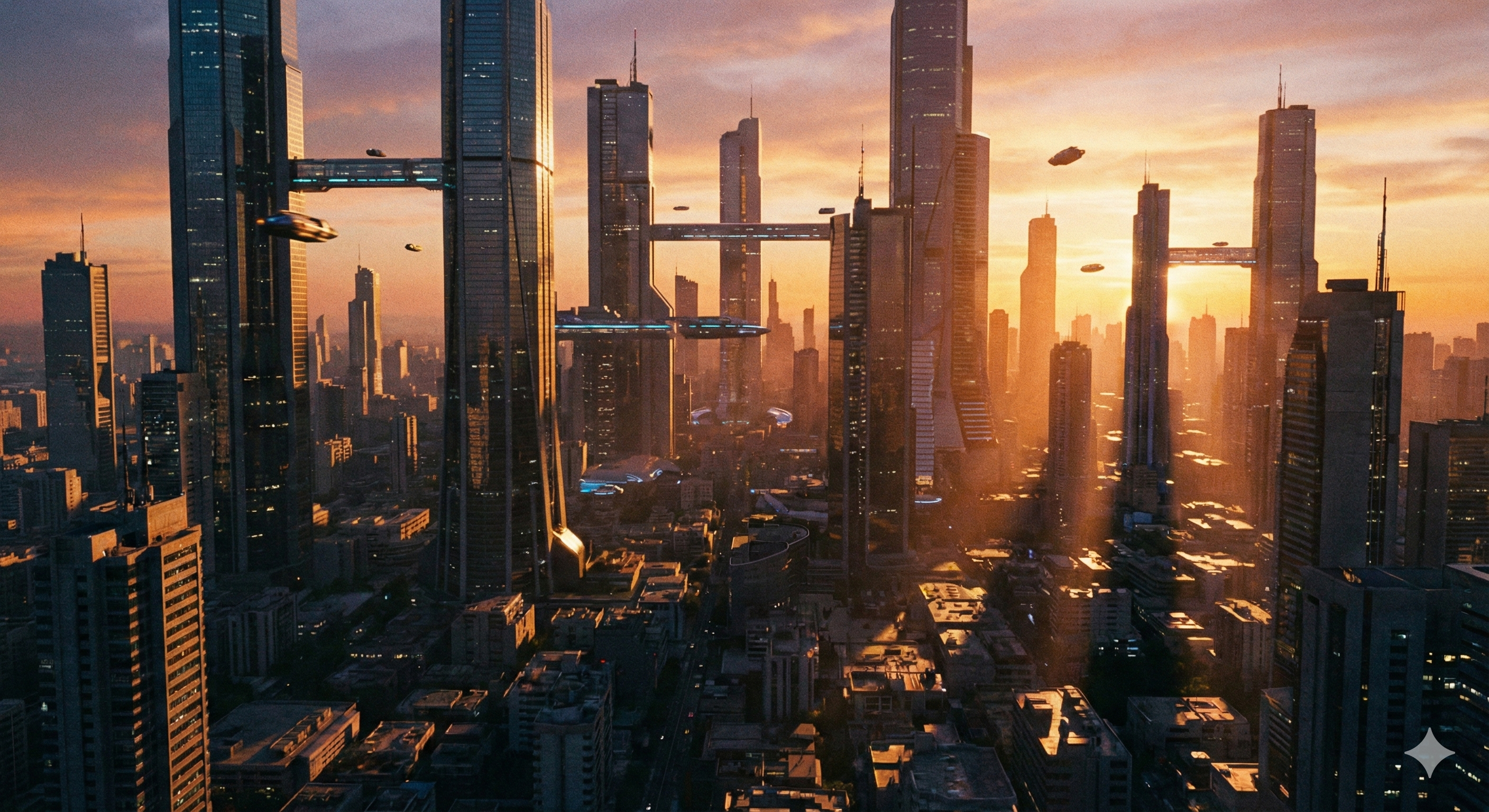
A sweeping aerial shot of a neon-lit cyberpunk city, showcasing Veo 3.1's ability to render complex environments with realistic lighting.
Veo 3.1 is a third-party AI video generation model from Google DeepMind that creates high-quality videos from text prompts with advanced motion understanding and cinematic output.
Starting image for generation
Set input image first
Add reference images for style guidance
We do not support adult, explicit, privacy-invasive, or unsafe video generation. Blocked requests do not use credits.
Veo 3.1 distilled models run 10x faster than traditional diffusion, enabling real-time iteration and creative flow.
Maintain character identity and lighting across multiple shots. Built for storytelling, not just random clips.
Your prompts and assets are private by default on FreyaVideo. SOC-2 compliant infrastructure for professional use.
Google Veo 3.1 simulates real-world physics for natural motion. The Veo 3.1 AI video model understands gravity, momentum, and fluid dynamics to create genuinely cinematic videos.
Built on Google DeepMind's 12-billion parameter transformer, the Veo 3.1 video model uses proprietary temporal diffusion for unmatched motion coherence and cinematic quality.
TRY VEO 3.1 NOWFrom cinematic blockbusters to documentary realism, Google Veo 3.1 adapts to your creative vision with remarkable versatility.
 CINEMATIC
 DOCUMENTARY
 COMMERCIAL
 ARTISTIC
Explore what's possible with the Veo 3.1 AI video generator. From photorealistic environments to stylized animation.
A sweeping aerial shot of a neon-lit cyberpunk city, showcasing Veo 3.1's ability to render complex environments with realistic lighting.
A majestic eagle soaring over mountains, demonstrating Veo 3.1 natural motion physics and atmospheric effects.
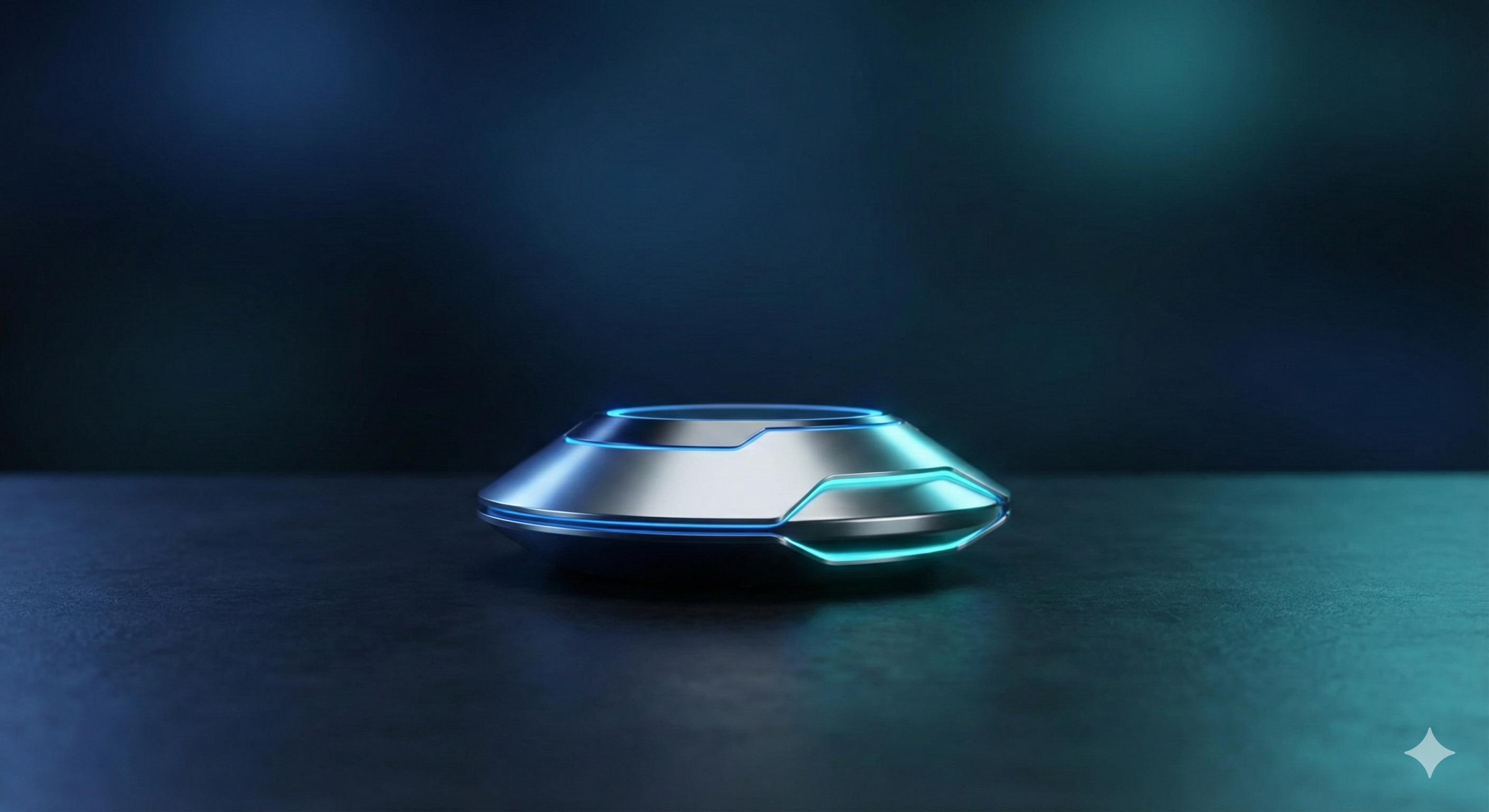
Sleek product rotation with studio lighting, showing Veo 3.1 text to video capabilities for e-commerce content.
Runway fashion show: a close-up tracking shot of a model walking confidently down the catwalk under dramatic spotlights, with a stylish audience in the background and cinematic camera movement.
Faster generation times and improved Veo 3.1 character consistency now available for all Pro users.
Developers can now access Google Veo 3.1 via REST API. Check the documentation.
Extend your Veo 3.1 videos with the new scene extension feature for longer narratives.
Veo 3.1 is a third-party AI video generation model developed by Google DeepMind. FreyaVideo provides a custom interface and workflow to access models like Veo 3.1.
Veo 3.1 introduces significant improvements over Veo 3, including better motion understanding, enhanced character consistency, improved native audio generation, and faster generation times. The Veo 3.1 video model also offers better prompt adherence and more cinematic output quality.
New users may receive free credits to try Veo 3.1 on FreyaVideo. For continued use, you can purchase additional credits as needed—there is no subscription or auto-renewal.
Yes, Google Veo 3.1 is available online through FreyaVideo. No software installation required - simply visit FreyaVideo, select Veo 3.1, and start creating AI videos directly in your browser.
Absolutely. Veo 3.1 generates 1080p Full HD videos with cinematic quality, making it suitable for professional use in marketing, advertising, social media, and content creation. The output meets broadcast-quality standards.
Veo 3.1 text to video allows you to create videos by simply describing what you want in text. Enter a prompt describing subjects, actions, environment, and style, and Veo 3.1 generates a matching video automatically.
Veo 3.1 image to video lets you animate a static image into a dynamic video. Upload your image, describe the motion you want, and Veo 3.1 brings it to life while preserving the original style and composition.
Yes, Veo 3.1 native audio generation is a key feature. The model can generate synchronized sound effects, ambient audio, and even music that matches your video scene, creating complete audiovisual experiences.
Google Veo 3.1 represents the pinnacle of AI video generation technology. Developed by Google DeepMind, this Veo 3.1 video model combines years of research in machine learning, computer vision, and temporal modeling. Unlike traditional approaches, Google Veo 3.1 uses a sophisticated multi-stage architecture that ensures both quality and consistency in every frame.
Veo 3.1 excels at understanding complex motion dynamics, temporal coherence, and scene composition. The Veo 3.1 AI video model can generate videos with smooth camera movements, realistic physics simulation, and Veo 3.1 character consistency across frames. Whether you're using Veo 3.1 text to video for action sequences or Veo 3.1 image to video for product animation, the model adapts to match your creative intent.
At its core, Google Veo 3.1 utilizes a transformer-based architecture with billions of parameters. The Veo 3.1 video model employs advanced techniques including latent video diffusion, temporal attention mechanisms, and proprietary motion modeling algorithms. This combination allows for efficient generation while maintaining exceptional output quality.
Every video generated by Veo 3.1 undergoes multiple quality checks. The Google Veo 3.1 AI video generator maintains temporal consistency to prevent flickering, ensures smooth motion transitions, and preserves fine details. Advanced noise reduction delivers cinema-quality 1080p output that meets professional production standards.
Start by entering a detailed text prompt. Include subjects, actions, environment, camera movements, and mood. The more specific your description, the better Veo 3.1 can execute your vision.
Choose your preferred aspect ratio (16:9 for YouTube, 9:16 for TikTok/Reels), duration (4-8 seconds), and resolution. Enable Veo 3.1 audio generation for synchronized sound.
FreyaVideo's cloud infrastructure processes your request using distributed GPU clusters. Veo 3.1 analyzes your prompt, plans the motion trajectory, generates keyframes, and synthesizes smooth video. This typically takes 30-90 seconds.
Preview your generated Veo 3.1 AI video directly in the browser. Download in MP4 or WebM format, share to social platforms, or refine your prompt and regenerate.
While Google Veo 3.1 AI video generator is designed to be intuitive, following these best practices will help you achieve consistently cinematic results with the Veo 3.1 video model.
Think like a film director. Instead of "a dog running", try "A golden retriever sprinting through autumn leaves in slow motion, warm sunset backlighting, shallow depth of field, cinematic color grading". Veo 3.1 excels at interpreting detailed creative directions.
Control dynamics through your prompt descriptions. Use phrases like "slow motion", "static shot", "sweeping camera movement", or "dynamic action". The Veo 3.1 video model excels at interpreting motion cues from text.
Enable audio generation for complete video experiences. Veo 3.1 native audio generation can create synchronized sound effects, ambient audio, and music. Describe audio elements in your prompt like "birds chirping" or "epic orchestral music".
Choose aspect ratios strategically: 9:16 for TikTok/Reels maximizes mobile screen space, 16:9 for YouTube looks professional. Consider platform-specific content styles when using Veo 3.1.
When you get a result you like from Veo 3.1, note the seed value. Use the same seed with modified prompts to create variations while maintaining similar composition. Great for creating cohesive content series.
Compare H3 Max, Veo Fast, and Kling by the full wait for a usable video.