Live Face Swap Online
A no-download, no-GPU online alternative to Deep-Live-Cam.
Pick a character or an art style, turn on your webcam, and watch yourself change in real time. Your smile, head turns and gestures carry over.
- Real time, in your browser
- No download or GPU
- Face swap and restyle
- 20 s free, then 30 credits/min
Try Live Face Swap Online
New accounts get 20 seconds free
Camera preview is free and needs no account.
Become another person: face, hair and outfit.
Freya does not record your camera. While a session runs, video is processed by XMAX in real time.
How to Use Live Face Swap in 3 Steps
- 1
Choose an effect and reference
Face swap turns you into one of the fictional characters or a portrait you upload. Restyle turns your whole scene into an art style, such as fantasy, anime or clay.
- 2
Turn on your camera
Allow camera access. The preview stays on your device and is free, so you can check framing and light before you start.
- 3
Start the live swap
Press Start. After a few seconds the AI output appears next to your camera feed and follows your expressions. Switch characters or styles any time and stop whenever you like.
Live Face Swap Examples
Real output frames captured from Freya's live sessions. The camera input in these tests is a fictional AI-generated person, not a real customer.
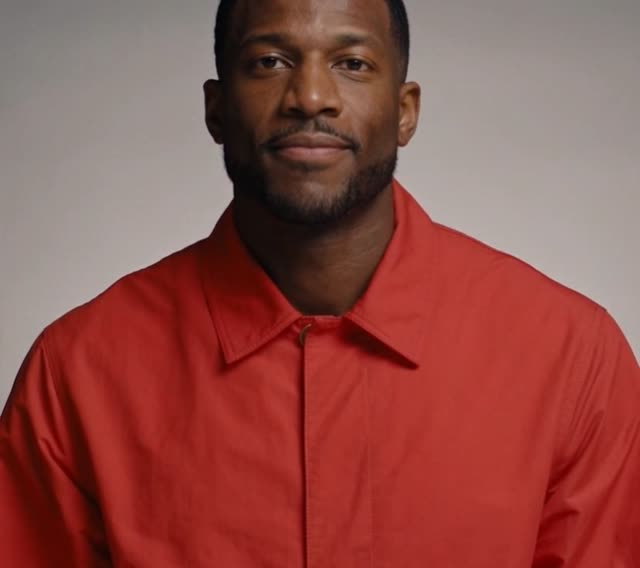 Camera
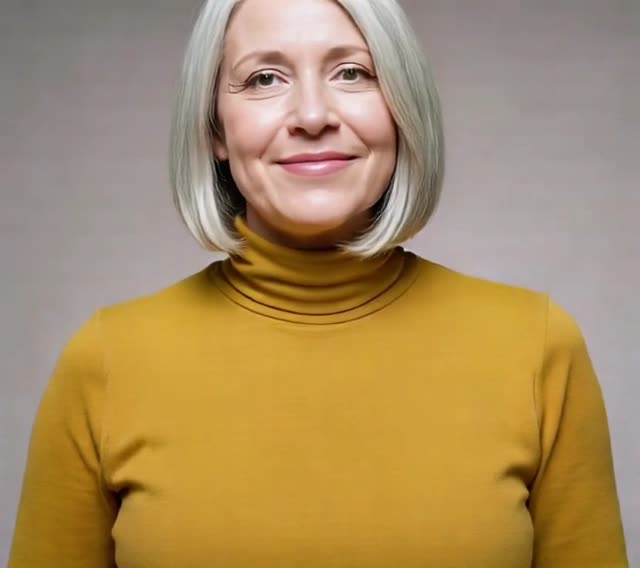 AI output
 Camera
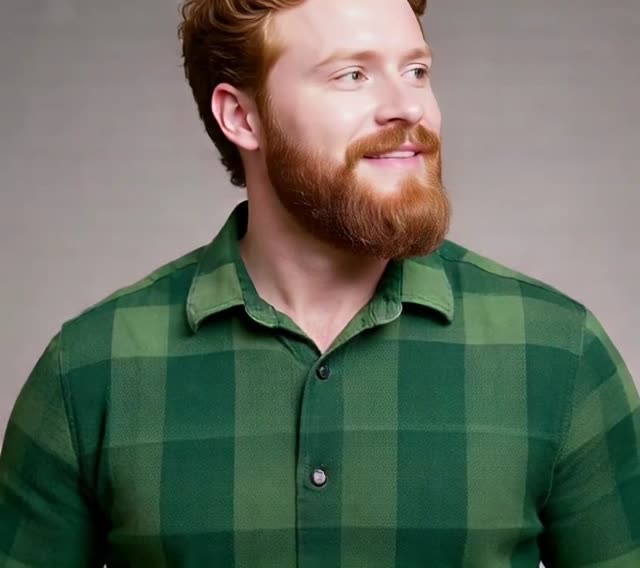 AI output
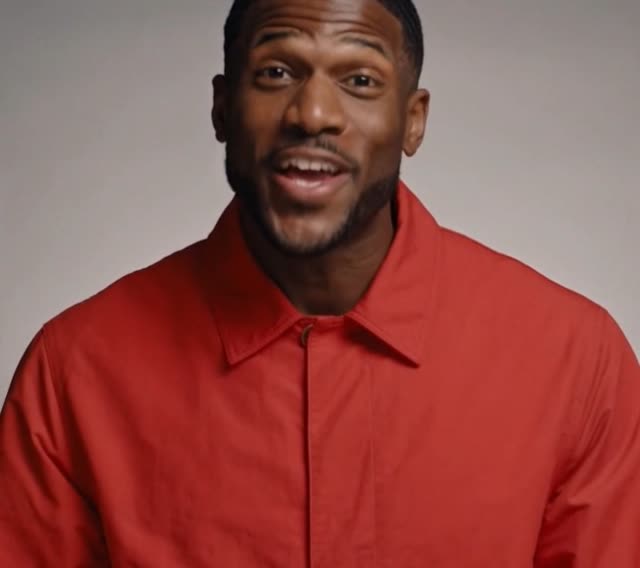 Camera
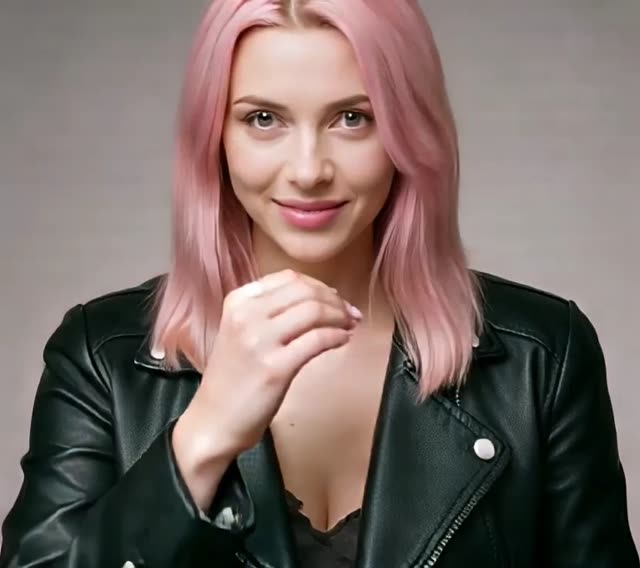 AI output
 Camera
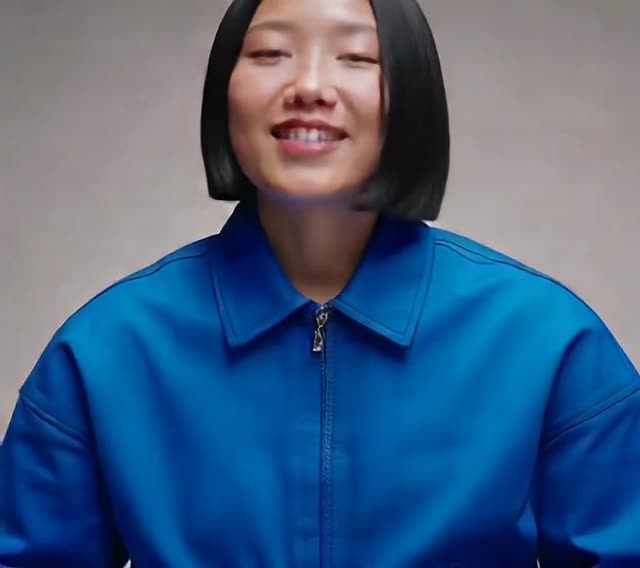 AI output
What Can You Do with Live Face Swap?
Short videos and skits
Act out a skit as another character and screen-record the result for TikTok, Reels or Shorts.
Streams and live surprises
Restyle your room and yourself into a fantasy, toon or neon world for a clip, then switch styles live to surprise your audience.
Try a new look
See yourself with a different hairstyle, age or outfit while you move and talk, instead of a still filter.
Fun with friends
Share your screen on a call and switch characters live. A virtual camera for Zoom or OBS is not available yet.
How Live Face Swap Works
- 01
Your camera captures the video
Your browser sends the webcam stream over WebRTC once you press Start. Nothing is sent while you only preview.
- 02
Cloud AI redraws each frame
The XMAX X2.0 realtime model redraws each frame: in face swap it replaces the person with your reference character; in restyle it repaints the whole scene in the reference style. Your expression, gaze and pose are kept.
- 03
The result streams back
The generated video plays next to your camera feed. Freya does not record it; when the session ends, the stream is gone.
Character Swap, Not Just a Face
Classic face swap pastes a new face onto your head. This tool replaces the whole character from your reference photo.
| Classic face swap | Freya live character swap | |
|---|---|---|
| What changes | Face only | Face, hair, and usually clothing |
| Your hair and outfit | Kept | Taken from the reference |
| Expressions and head turns | Often stiff | Follow you in real time |
| Best for | Quick photo edits | Live video, acting and role play |
Pricing
30 credits per minute of AI video, billed by the second and rounded up to a whole credit per session. Billing starts at the first AI frame: turning on your camera, choosing a reference and connecting are free, and a start that never shows AI video costs nothing. A session runs as long as your balance covers, up to 10 minutes. Switching characters, styles or effects during a session adds nothing. New accounts get their first 20 seconds free, once, in their first session.
See credit plansLive Face Swap FAQ
Is there an online Deep-Live-Cam alternative without a GPU?
+
Yes. FreyaVideo Live Face Swap runs Deep-Live-Cam-style real-time face swap in the browser, with no install and no GPU. New accounts get 20 seconds free, then it is 30 credits per minute.
Can I do a real-time face swap on my webcam in the browser?
+
Yes. It works in a desktop or mobile browser with a camera, and the AI runs in the cloud, so there is nothing to install.
Is there a free live face swap online?
+
The first 20 seconds of AI video are free, once per new account, and the camera preview is always free. After that it is 30 credits per minute, billed by the second.
Deep-Live-Cam vs FreyaVideo: what's the difference?
+
Deep-Live-Cam is open-source software you install on your own computer, and real-time use needs a capable GPU; FreyaVideo runs in the cloud, works in a desktop or mobile browser, and swaps the face, hair and usually the outfit together. Deep-Live-Cam is free and keeps everything on your machine; FreyaVideo is billed at 30 credits per minute of AI video.
Is my camera video recorded?
+
No. Freya does not record or store your live session. While a session runs, your camera video and reference photo are processed by our AI provider XMAX to generate the output.
Do I need to download an app or have a GPU?
+
No. It runs in a desktop or mobile browser with a camera. The AI runs in the cloud, so your device only sends and plays video.
What reference photo works best?
+
One person, facing the camera, face fully visible, even light, no sunglasses or heavy filters. JPG, PNG or WebP up to 5 MB.
Does it really happen in real time?
+
Yes. Once the session starts, the output follows your movements continuously. Startup takes a few seconds; very fast head turns or covering your face can cause blur.
Why did my hair and clothes change too?
+
This is a character swap: the model takes the face, hair and usually the outfit from your reference photo. Pick a reference whose look you want.
What does Restyle do?
+
Restyle keeps your movement and framing but repaints everything in the frame, you and your room, in the style of the reference image: fantasy art, anime, toon, 3D animation, clay or neon. Upload your own image to try any other look.
How are credits charged?
+
30 credits per minute, billed by the second from the moment the AI video appears until you stop. Connecting is free, and a start that never shows AI video costs nothing. You need at least 5 credits to start; one session runs up to 10 minutes or until your balance runs out. Your receipt shows the seconds billed.
Is there a free trial?
+
Yes. Each new account gets its first 20 seconds of AI video free, once. The trial is used in your first session that shows AI video; if the AI video never starts, you keep it for the next try. After that it is 30 credits per minute.
Can I use it in Zoom, OBS or a livestream?
+
Not directly yet. The result shows in your browser; you can share that window or screen-record it. A virtual camera is not available in this version.
Can I upload someone else's photo?
+
Only if you have their permission. Do not impersonate real people or use the output to mislead others. The built-in characters are fictional.
Ready to Try Live Face Swap?
Turn on your camera and become someone else in seconds.
Start live face swap