An everyday kitchen selfie
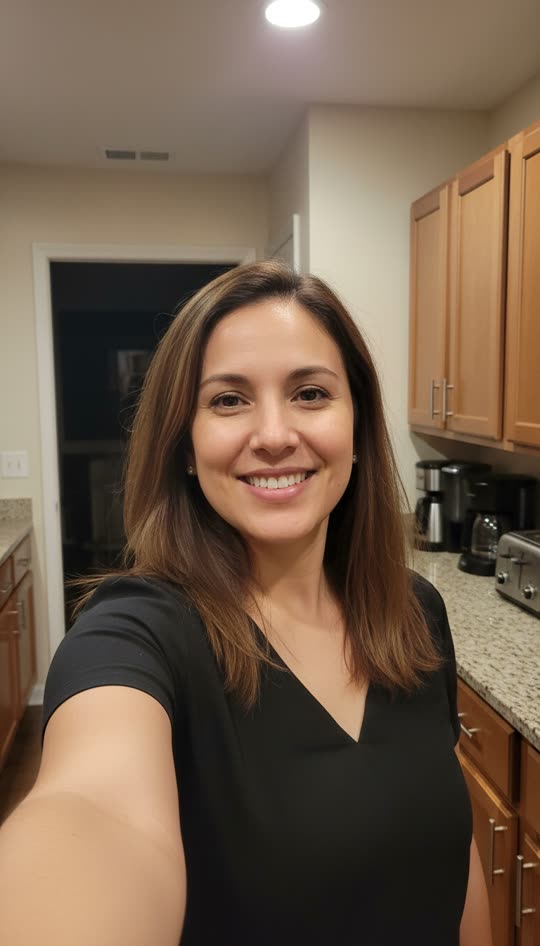
A familiar room makes the reveal feel unexpected. The shoulder and open background give the ghost room to appear without covering the face.
Start with an ordinary selfie. Let a ghost creep over your shoulder. Make a vertical prank video here, without choosing a model or writing a prompt.
Your full photo stays in frame.
One shared free preview for eligible accounts, subject to daily availability. Paid videos are 8 seconds, full HD, with no watermark. The $9 Starter Pack includes 600 credits, valid for 365 days, with no subscription.
Example video · 9:16 · 8s
A ghost appears over the shoulder and slowly moves beside the face. Your result will appear here.
See two adult selfies turned into ghost prank videos. These are actual sample outputs, so you can watch the motion before using your free opportunity. Your own result will depend on the photo and the model.
A familiar room makes the reveal feel unexpected. The shoulder and open background give the ghost room to appear without covering the face.
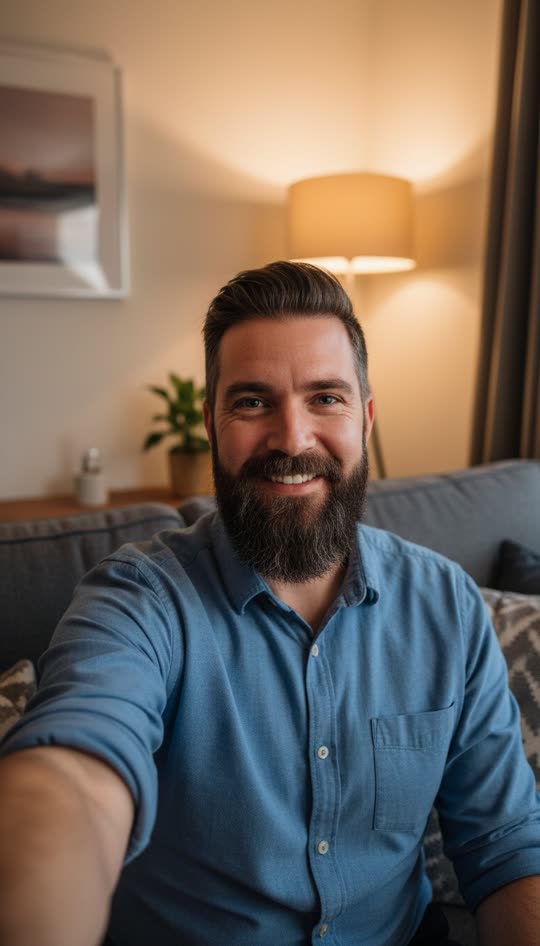
A seated adult selfie can work too. Keep the head, shoulders, and some of the room in the frame instead of filling the entire photo with a face.
The surprise comes from the change in a scene that first looks normal. These frames were taken from the kitchen sample above; they show the three stages of the same video.
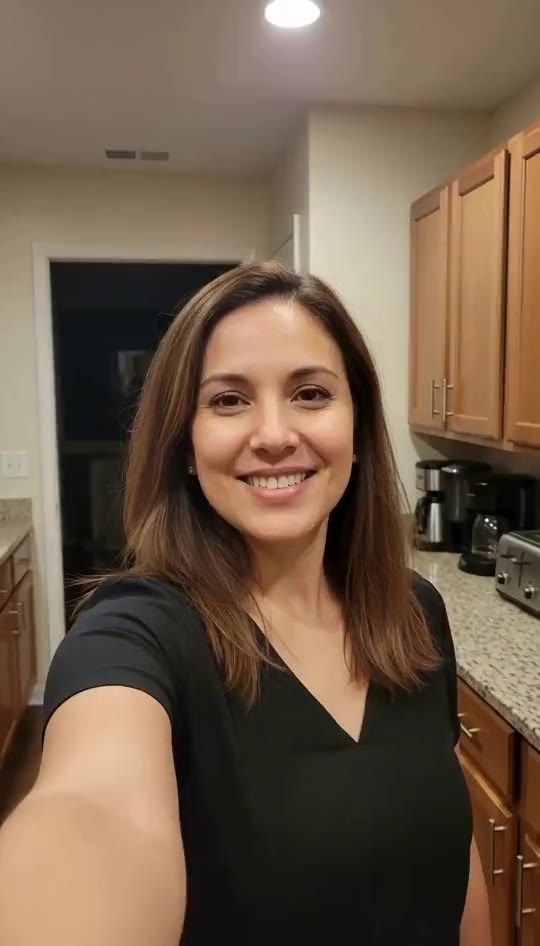
The opening is based on the uploaded selfie, without a ghost added to the input image. Let the familiar face and room establish the scene before the reveal.
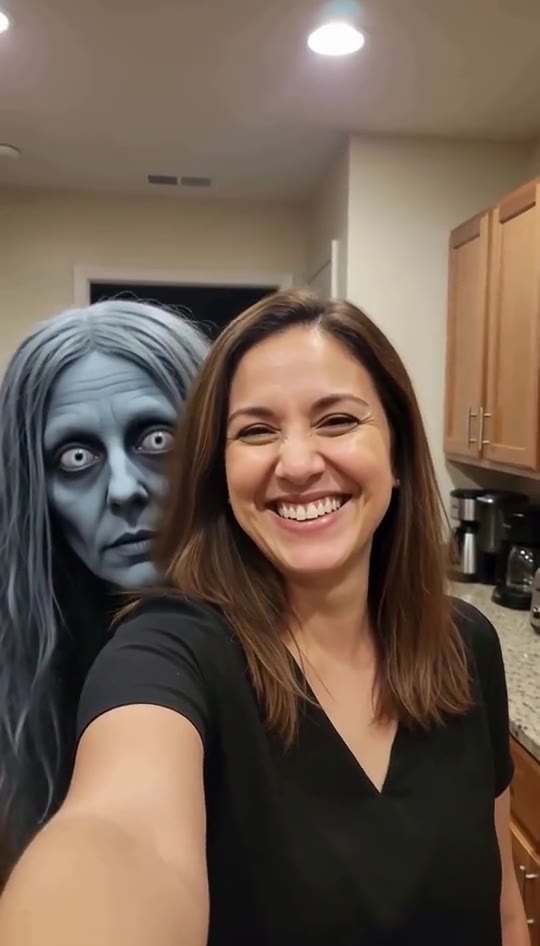
The ghost peeks into the space behind the subject. The effect uses grey-blue skin, long grey hair, and wide white eyes, with only its head and hair visible.
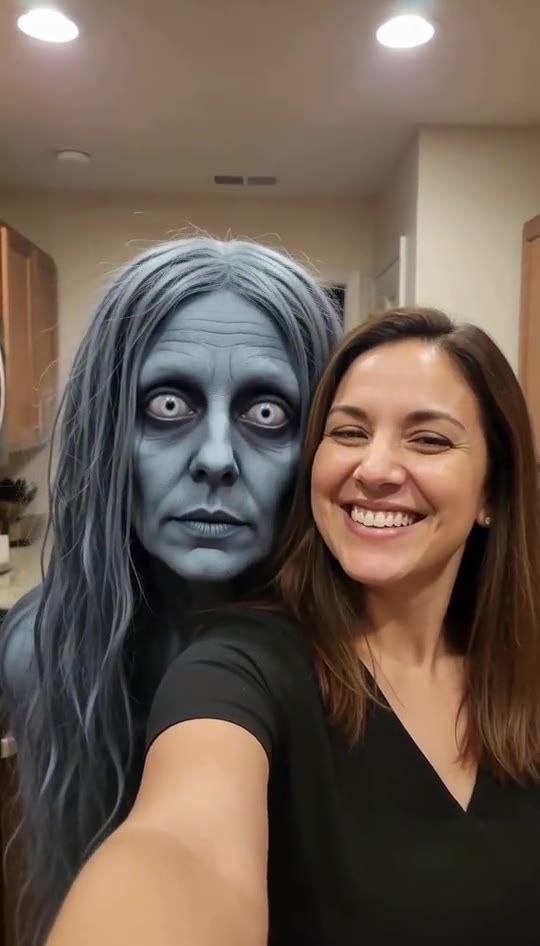
The head gradually moves closer for the final close-up. This is a slow reveal rather than a sudden lunge. Timing, expressions, and likeness can vary between AI generations.
Choose a well-lit adult selfie with one visible face, both shoulders where possible, and room beside the head. Upload it above; Freya prepares vertical framing while keeping the photo visible. You can replace the photo before generating.
You do not need a custom prompt or a model choice. Sign in when prompted to continue here. The effect starts with the ordinary photo, then brings a ghost over the shoulder and gradually beside the face.
Choose Generate and wait for the result on this page. Watch your free preview, then download it or use your Freya credits for an 8-second 1080P version without a watermark. Review the full video before sharing it as a fictional AI prank.
Photo choice matters more than a complicated prompt. A clear face and a little breathing room around the shoulders make the intended reveal easier to follow.
Use a familiar adult selfie at home. Let viewers recognize the face and room first, then watch the space over the shoulder. The two examples above show why an everyday setting works well for this gradual effect.
Try an adult costume photo with the face uncovered. The ghost supplies the horror detail, so the starting image can stay simple. Add your Halloween message after downloading rather than covering the face with text in the source photo.
Use an adult friend’s photo with permission, then reveal that the clip is AI-generated. Keep the prank light and fictional. Do not present the result as evidence of a real event or use someone’s likeness to embarrass them.
Use the 9:16 MP4 as a short visual reveal. Keep captions clear of the faces, preview the entire clip, and label the AI effect. The 8-second version gives the ending more room than the free preview.
The free preview lets you see the effect on your own photo. After a result, the purchase button opens Freya’s existing $9 Starter Pack checkout. Your photo and settings stay on this page.
| Video detail | Free preview | Paid HD generation |
|---|---|---|
| Duration | 5.5 seconds | 8 seconds |
| Vertical MP4 | 540 × 960 | 1080 × 1920 |
| Freya watermark | Included | No watermark |
| Usage | One shared free opportunity | 240 credits per generation |
Starter Pack: $9 for 600 credits, valid for 365 days. One-time payment, no subscription. HD creates a new version from your photo; it is not a guaranteed pixel-for-pixel copy of the free clip. You can also use your remaining credits in Freya’s other tools.
An eligible new account can use its one site-wide free generation on this page. That opportunity is shared with Freya’s other image and video tools, rather than renewed for every tool. The free result is a 5.5-second, 540×960 watermarked preview. Daily availability and anti-abuse checks apply; if a free preview is unavailable, your photo stays in place and credit packs start at $9.
The paid version is 8 seconds; the free preview contains the first 5.5 seconds. The preset begins with an ordinary selfie, then brings the ghost over the shoulder and beside the face. The sample shows the intended sequence, but AI timing is not guaranteed to match every frame.
Yes. Choose a clear adult selfie with one visible face and space near a shoulder. A kitchen, living room, or simple hallway gives the reveal a recognizable setting. Avoid very tight face crops, multiple overlapping faces, heavy filters, and objects blocking the shoulders.
The export is a vertical 9:16 MP4: 540×960 for the free preview and 1080×1920 for the paid version. Download it, check the reveal, and add your own caption in the app where you post. Label it as an AI-created fictional prank, and use photos of adults with their permission.
The existing Freya Starter Pack includes 600 credits, valid for 365 days, with a one-time payment and no subscription. A paid Ghost generation uses 240 credits for an 8-second 1080P version without the Freya watermark. Credit costs for other tools depend on their models and settings.
The HD option generates a new version from the same photo. When upgrading an owned free result, Freya reuses its seed, but the higher-resolution output may still differ. It does not simply remove a label from the existing preview file.
Keep your photo and try the suggested recovery action. For a safety block, choose a clear, fully clothed adult selfie and try again. A failed free task releases its reservation, subject to retry and daily limits. Failed paid tasks return their deducted credits.
No. The ghost effect and generation settings are already prepared. Upload your photo and choose Generate. For gentler photo movement without a ghost, use Freya’s Animate Photo tool.
Looking for a different kind of motion? Animate Photo turns a still photo into a gentler moving scene. You can also explore the standalone Ghost Filter Prank tool.