Back to Seedance 2.5SEEDANCE 2.5 PROMPTS · 6 VERIFIED WORKFLOWS

Seedance 2.5 Prompts: 6 Tested Workflows

Seedance 2.5 Prompts from six real paid tests, with each submitted setting, source asset, and observed result preserved so you can start from evidence instead of a fabricated example.

These Seedance 2.5 Prompts and results come from original FreyaVideo tests, not official ByteDance examples. A result appears only when a stable verified asset is available; no unrelated demo is substituted. The image-reference case verifies image influence only and does not claim independently measured video- or audio-reference control.

  1. 01Choose the workflow first. Text, frame control, reference, edit, and extend send different asset roles to the model.
  2. 02Keep the original English text for a baseline, then replace only the subject or action that your shot requires.
  3. 03Open the linked generator, confirm every setting, and upload your own source media before adapting a prompt.

Tested Seedance 2.5 Prompts by Workflow

Result

Verified · R2 · 2026-08-12

Seedance 2.5 Text-to-Video Prompt: Glass Koi

A text-only 9:16 test uses one continuous macro move to evaluate stable glass anatomy and generated ambience.

Workflow
Text to Video
Duration
5s
Aspect Ratio
9:16
Resolution
480p
Format
MP4
Native Audio
On
Watermark
Off
Web Search
Off
Last Frame
On
Priority
1
Execution Expiry
3600s

Result

The 5.056-second result kept one glass koi stable as it rose through the atrium, preserved the cyan and amber refraction, and included a real AAC ambience track. No people, extra fish, text, logo, or hard cut appeared.

Prompt

A single continuous vertical macro shot of a translucent glass koi swimming upward through a dark museum atrium filled with suspended golden dust. The camera rises smoothly beside the koi as its fins refract cyan and amber light and tiny droplets orbit like crystal beads. End with the koi turning toward a circular skylight as soft ripples of light spread across the walls. Photorealistic glass caustics, stable anatomy, smooth motion, delicate water and glass ambience. No people, text, logos, cuts, camera shake, extra fish, warping, or morphing.
Source

Seedance 2.5 First-Frame Prompt: LUMA Fragrance: First frame
First frame

Result

Verified · R4 · 2026-08-12

Seedance 2.5 First-Frame Prompt: LUMA Fragrance

A product image anchors the opening while the direction adds a restrained orbit, amber caustics, and studio sound.

Workflow
First Frame
Duration
4s
Aspect Ratio
Adaptive (16:9 result)
Resolution
720p
Format
MP4
Native Audio
On
Watermark
Off
Web Search
On
Last Frame
On
Priority
0
Execution Expiry
172800s

Result

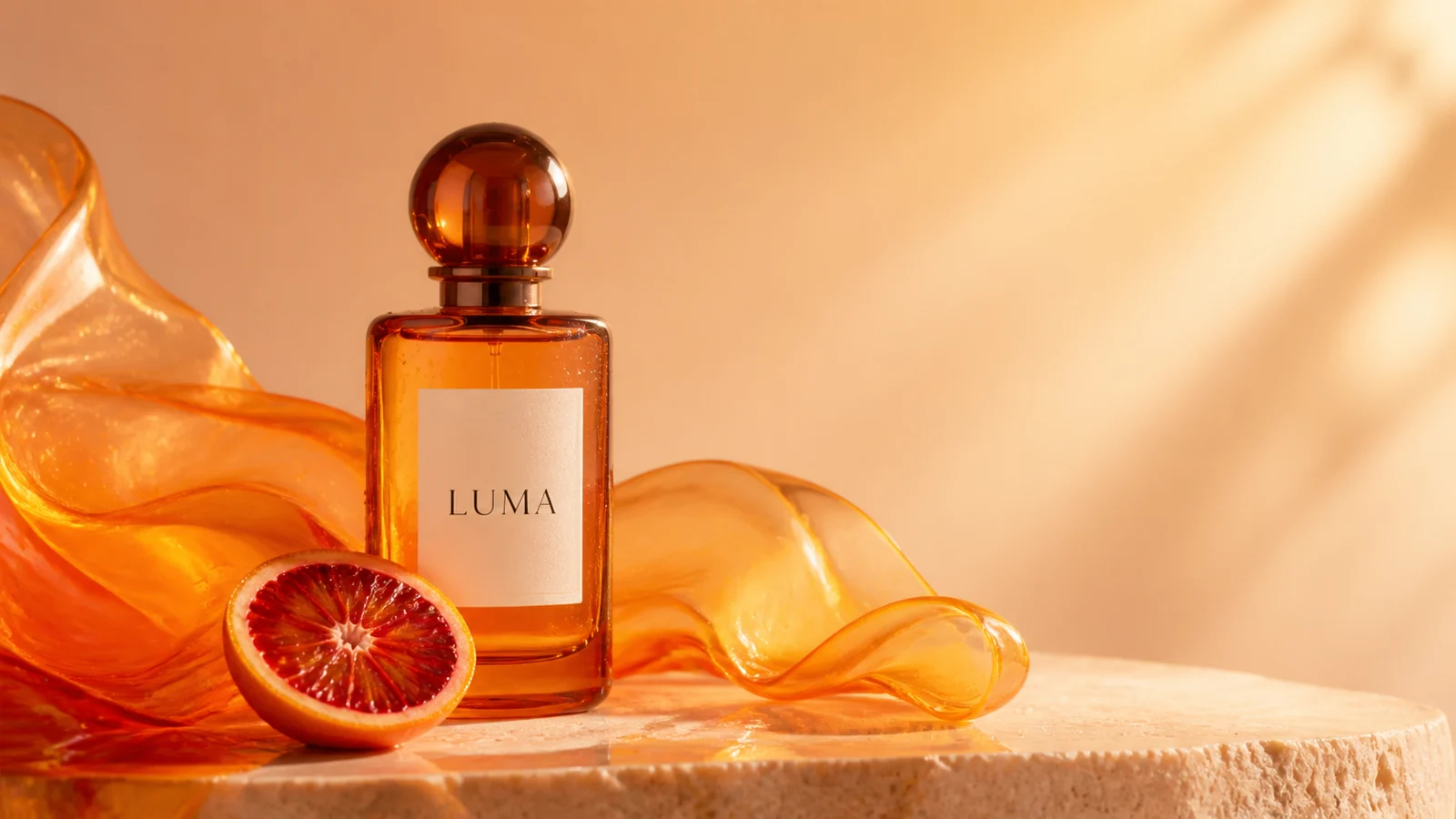
The output began very close to the supplied image and kept the bottle, LUMA lettering, orange slice, glass ribbon, and warm composition stable. Web Search was submitted, but the provider reported zero search-tool usage, so the visual result is not attributed to search context.

Prompt

Begin exactly from the supplied product image. In one continuous premium macro shot, make a very slow clockwise orbit around the amber LUMA fragrance bottle while the translucent orange glass ribbon flows gently behind it and the blood-orange slice rolls only a few degrees. Let warm sunlight sweep across the bottle and create realistic amber caustics on the stone surface. Use web-search context only to reinforce physically accurate amber-glass caustics and premium fragrance cinematography; do not import any real brand, product, logo, wording, packaging, or campaign reference. Keep the bottle shape, cap, label position, readable LUMA lettering, fruit, palette, and tabletop composition stable. Add restrained glass shimmer, soft fabric movement, and delicate studio ambience. No hands, people, extra products, new text, label distortion, cuts, camera shake, warping, or morphing.

Source

Seedance 2.5 First-and-Last-Frame Prompt: Vase Bloom: First frame
First frame
Seedance 2.5 First-and-Last-Frame Prompt: Vase Bloom: Last frame
Last frame

Result

Verified · R5 · 2026-08-13

Seedance 2.5 First-and-Last-Frame Prompt: Vase Bloom

Two supplied frames lock both ends of a four-second transformation while the camera and room remain fixed.

Workflow
First + Last Frame
Duration
4s
Aspect Ratio
Adaptive (16:9 result)
Resolution
720p
Format
MOV
Native Audio
Off
Watermark
Off
Web Search
Off
Last Frame
On
Priority
9
Execution Expiry
259200s

Result

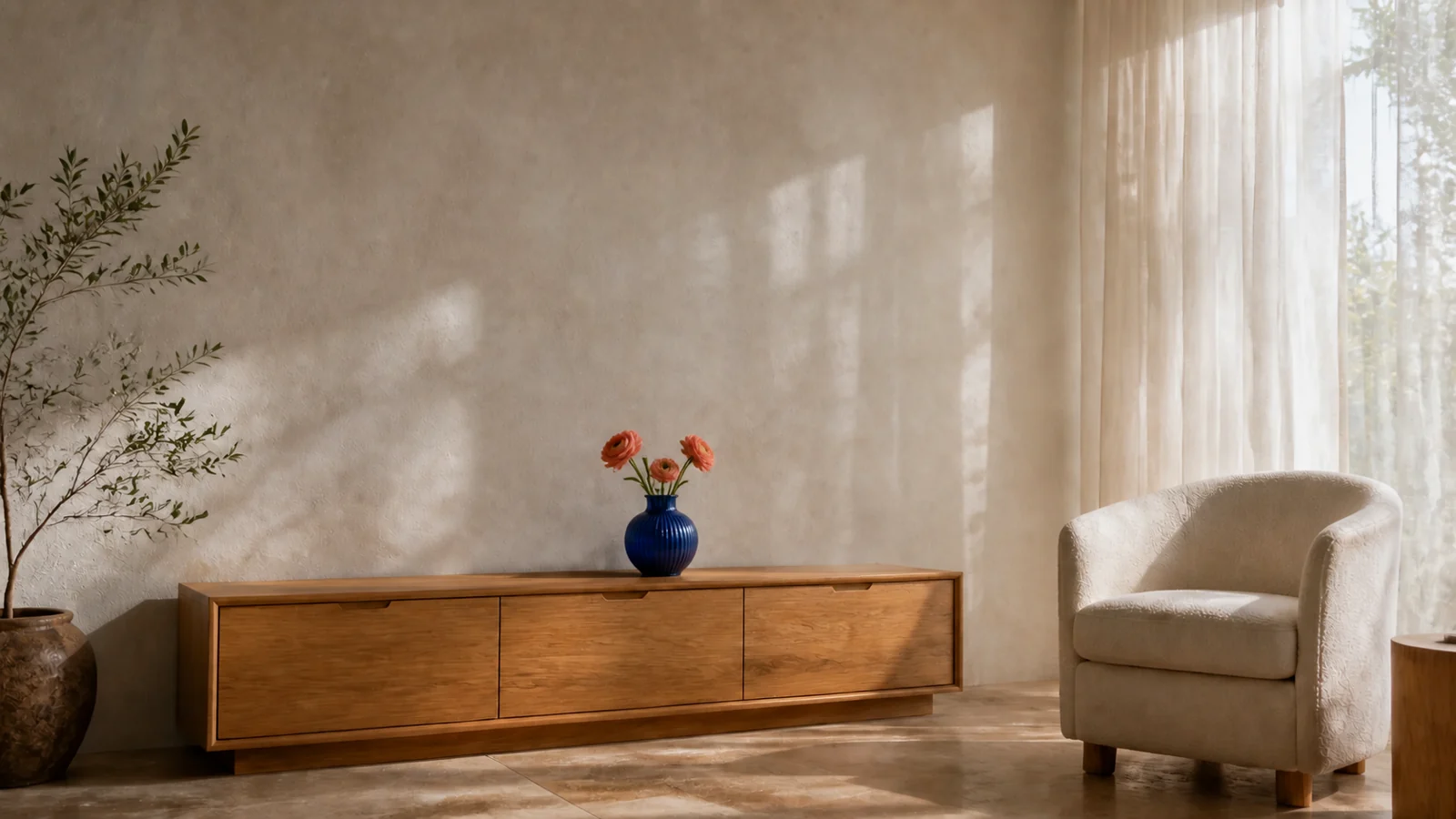
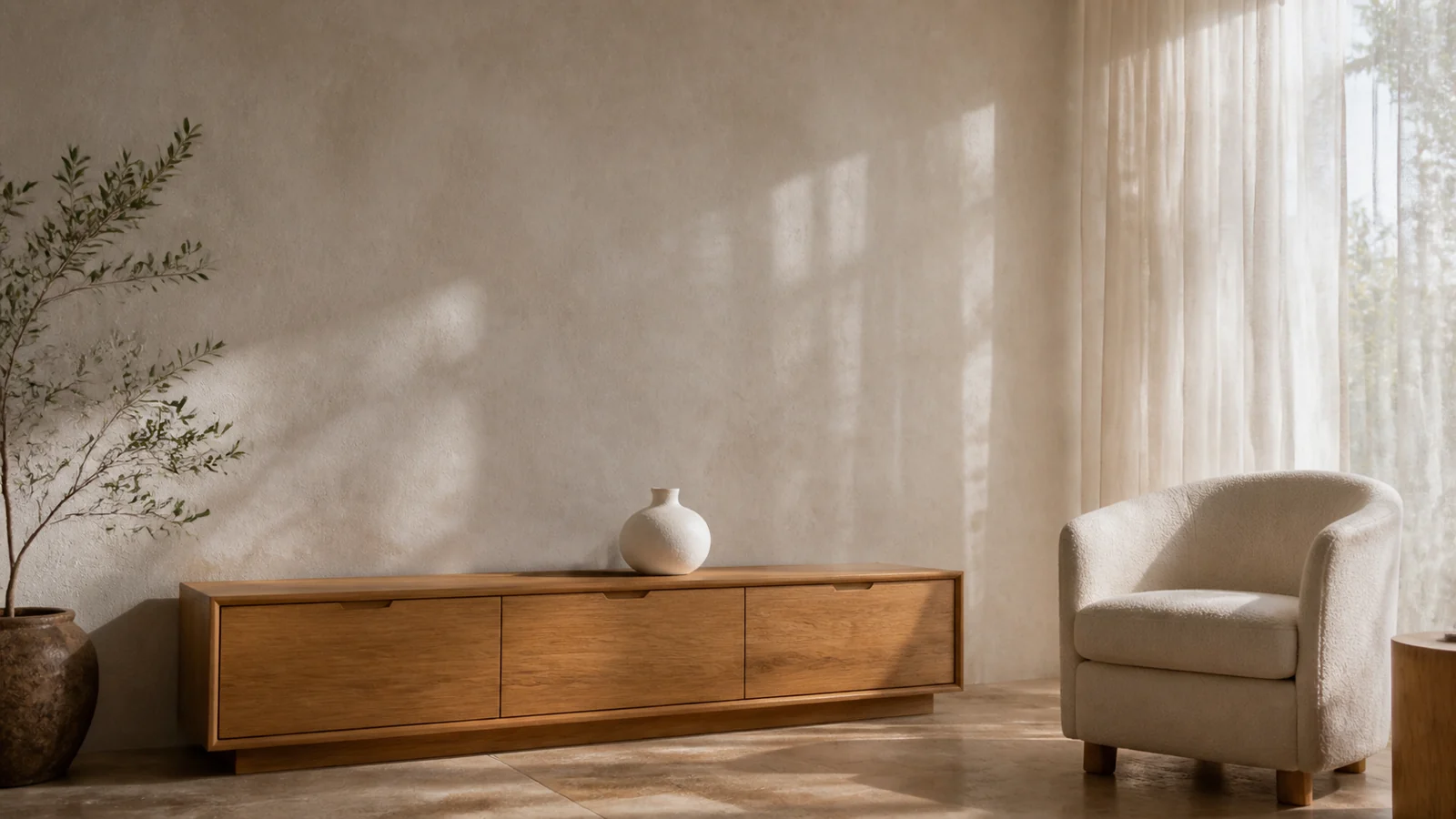
The first and final video frames closely matched their supplied images. The white vase became cobalt blue and grew three coral flowers while the cabinet, chair, curtains, room geometry, and locked camera stayed coherent. The player serves a web-compatible MP4 derivative of the verified MOV master.

Prompt

Begin exactly on the supplied first frame and finish exactly on the supplied last frame. Keep the camera completely locked. Over one continuous gentle transformation, the small matte white vase on the wooden cabinet acquires a deep cobalt-blue ceramic glaze while three coral ranunculus flowers naturally grow and open from inside it. Let the existing sunlit leaf shadows drift subtly across the wall and furniture, but preserve the cabinet, chair, curtains, tree, room geometry, exposure, and every other object. End with the vase, flowers, placement, scale, and composition matching the final frame. No cuts, people, new objects, moving furniture, text, camera motion, flicker, warping, or sudden morphing.

Source

Seedance 2.5 Image-Reference Prompt: Origami Cranes: Reference image
Reference image

Result

Verified · R3b · 2026-08-13

Seedance 2.5 Image-Reference Prompt: Origami Cranes

A deliberately generic preservation instruction tests whether unnamed scene details survive from the reference image.

Workflow
Image Reference
Duration
4s
Aspect Ratio
16:9
Resolution
480p
Format
MP4
Native Audio
Off
Watermark
Off
Web Search
Off
Last Frame
On
Priority
0
Execution Expiry
3600s

Result

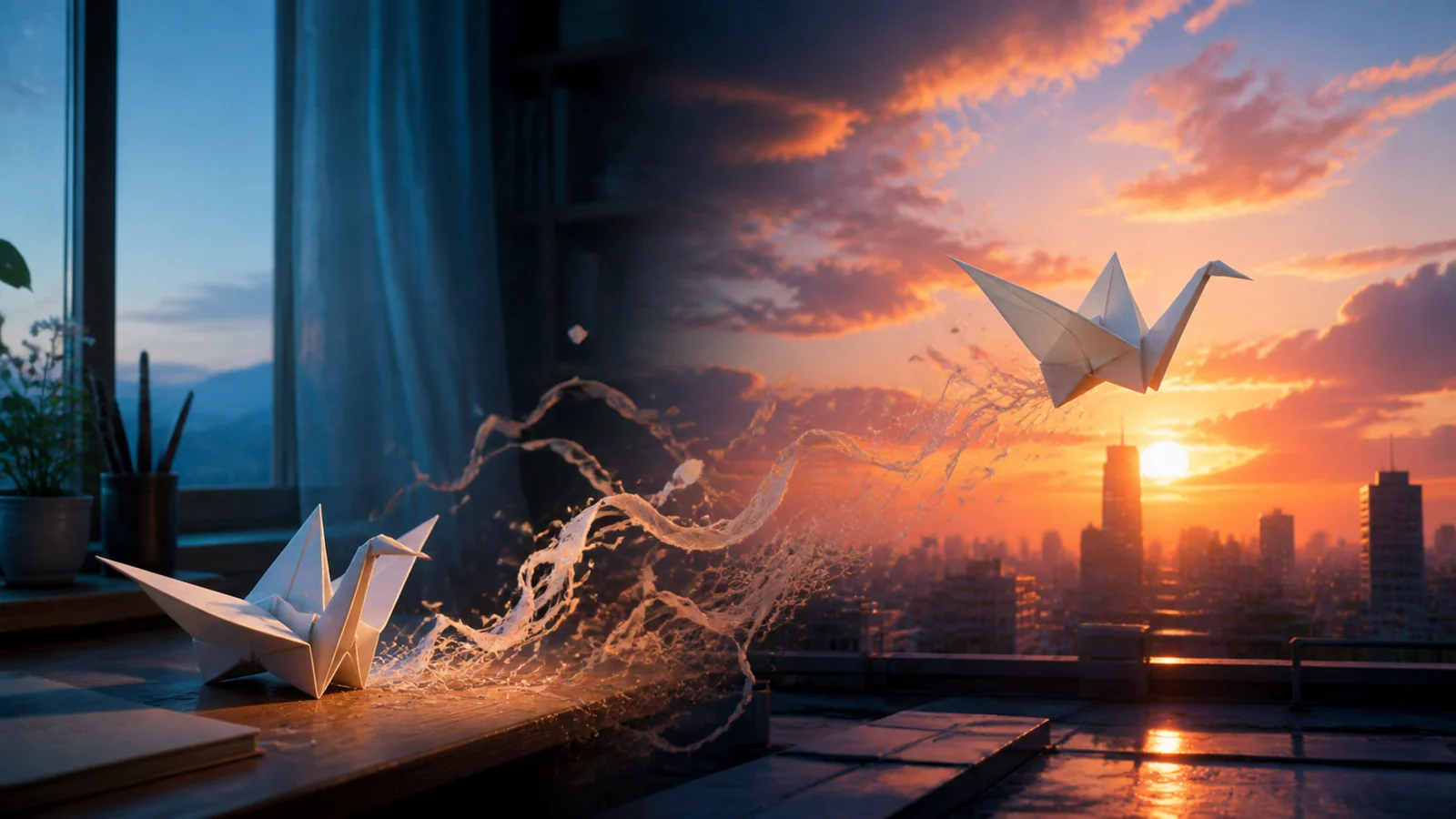
Across the complete result, both white paper cranes, their relative placement, the cool interior and orange city sunset, arcing splash, reflections, and skyline remained recognizable. Because those details were not stated in the prompt, this is direct evidence that the image reference affected the video.

Prompt

Animate the supplied reference image into one continuous cinematic shot. Preserve the exact number of subjects, their identities, materials, colors, distinctive asymmetric shapes, relative placement, background layout, and reflection pattern from the reference. Add only subtle natural motion: a slow forward glide, gentle environmental movement, and restrained water motion. Keep the original composition clearly recognizable throughout. Do not replace, remove, merge, duplicate, redesign, or recolor any subject. No people, text, logos, cuts, camera shake, warping, or morphing.

Source

Source video

Result

Verified · Edit · 2026-08-11

Seedance 2.5 Video-Edit Prompt: Moon to Mars

The edit changes a source clip's environment, weather, and color while preserving first-person movement and astronaut structure.

Workflow
Edit Video
Duration
Auto (source length)
Aspect Ratio
Adaptive (16:9 result)
Resolution
720p
Format
MP4
Native Audio
On
Watermark
Off
Web Search
Off
Last Frame
Off
Priority
0
Execution Expiry
172800s

Result

The verified 7.712-second edit changed gray lunar terrain into a red Martian landscape while retaining the original walk, gloves, boots, camera path, timing, and scene transitions. Its audio exists but is quiet and should be normalized before publishing.

Prompt

Transform the lunar environment into a cinematic red Martian landscape during a gentle dust storm. Preserve the original first-person walking motion, camera path, timing, framing, astronaut gloves and boots, and existing scene transitions. Replace the gray lunar ground and craters with rust-red sand, layered Martian rocks, drifting fine dust, and a pale sun behind a hazy salmon-colored sky. Keep the astronaut and all motion physically stable and coherent. Do not add extra characters, text, logos, cuts, or additional camera shake. Do not warp the astronaut’s body or change the clip length.

Source

Source video

Result

Verified · R1 · 2026-08-12

Seedance 2.5 Video-Extension Prompt: Smartphone

The extension continues from the source clip's final frame instead of replaying or rebuilding the original shot.

Workflow
Extend Video
Duration
4s
Aspect Ratio
Adaptive (16:9 result)
Resolution
480p
Format
MP4
Native Audio
Off
Watermark
Off
Web Search
Off
Last Frame
On
Priority
0
Execution Expiry
86400s

Result

The verified output is a new 4.000-second extension. It begins from the input ending, continues the phone rotation, lights the screen and cyan edge, and finishes on a centered hero shot without replaying the 2.2-second source clip.

Prompt

Continue seamlessly from the exact final frame without a cut. The phone keeps rotating slowly clockwise on the charging dock while the camera makes a gentle forward dolly. The black screen wakes into an elegant abstract blue-to-violet luminous gradient with no interface or text. A thin cyan light traces the phone’s metal edge and flows into the charging dock, while the background gradually darkens into a premium studio. Preserve the exact phone and dock shape, proportions, tabletop position, rotation speed, reflections, and shadows. End on a clean centered product hero shot. Do not add hands, people, logos, letters, extra devices, morphing, floating objects, sudden cuts, or camera shake.