AI Video Generator

Christmas Flyer Video Maker: Turn Your Holiday Flyer into a Short Video

Upload the Christmas sale, menu or event flyer you already designed, describe the motion, and get a short video you can post as a reel, a story or an ad.

Generate Audio
Negative Prompt
CFG Scale0.5

Guidance scale for generation

Voice IDsCount: 0

Voice IDs for audio generation (one per line)

ElementsCount: 0

Character/object references for consistent generation

We do not support adult, explicit, privacy-invasive, or unsafe video generation. Blocked requests do not use credits.

WHY FREYAVIDEO

Why make your Christmas flyer video on FreyaVideo

Starts from your own flyer

The flyer is the first frame, so colors, layout and offer match the version on your door, website and printed menu.

Seasonal motion from a prompt

Snow, string lights, ornaments and candles are described in a sentence, not keyframed by hand.

Pay per video, no subscription

Buy credits once for the season. Credit packs never auto-renew and stay valid for 12 months, so leftovers carry into next year.

One clip per offer

Make a separate clip for the gift card deal, the Christmas Eve menu and the last-minute sale without reopening the design file.

CHRISTMAS & HOLIDAY SEASON

Add snow, lights and motion to the Christmas flyer you already made

In December the same flyer has to work in the shop window, on Instagram and in a story ad. A short moving version of that artwork, with falling snow, twinkling lights or a flickering candle, gives people a reason to stop on it, and you do not have to rebuild it in a video template first.

WORKFLOW

Christmas Flyer Video workflow

Upload the Christmas sale, menu or event flyer you already designed, describe the motion, and get a short video you can post as a reel, a story or an ad.

OPEN IMAGE TO VIDEO
InputJPG / PNG / WEBP
ModelMULTI-MODEL VIDEO GENERATION
Default Output9:16 / 5S
DeliveryMP4 VIDEO
// STYLE GALLERY

Christmas flyer video examples

These gallery images show the static flyer artwork that gets reused as the starting point for the animated video versions.

Christmas Sale Flyer gallery imageCHRISTMAS SALE FLYER
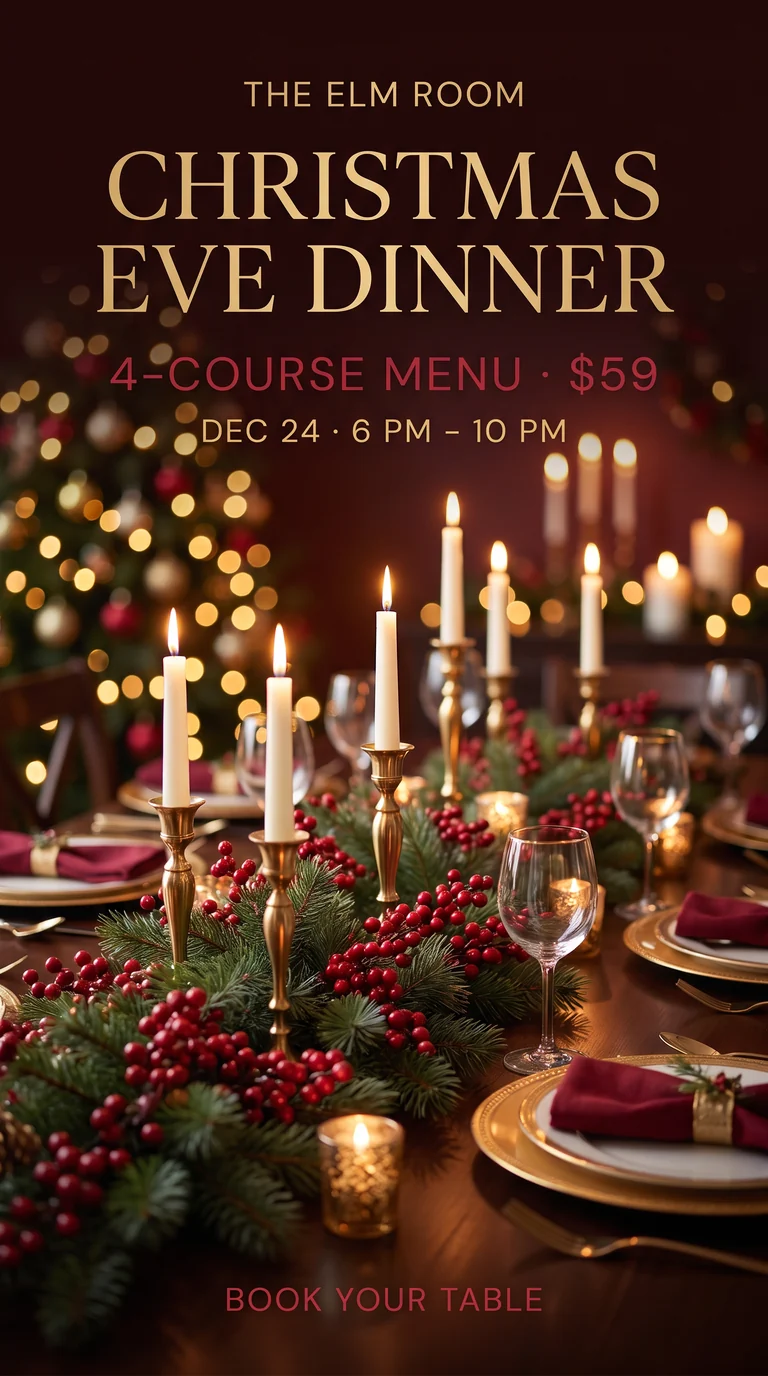
Christmas Dinner Flyer gallery imageCHRISTMAS DINNER FLYER
Black Friday Flyer gallery imageBLACK FRIDAY FLYER
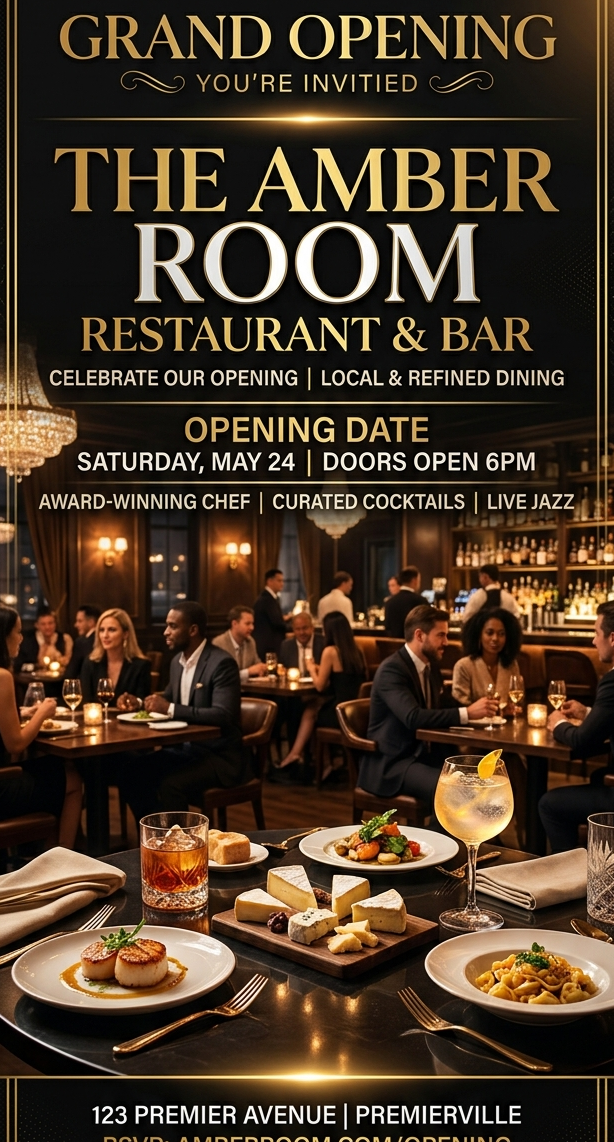
Restaurant Opening gallery imageRESTAURANT OPENING
// SHOWCASE

Christmas flyer video examples

Both Christmas examples were generated on FreyaVideo with Kling 3.0 (5 seconds, no sound) from the static flyers shown with them, made for a fictional store and a fictional restaurant. The other two show the same workflow on a Black Friday flyer and a restaurant poster.

A Christmas sale flyer becomes a 5-second vertical clip

Snow falls, the bokeh lights twinkle, the ornaments sway and a light sweep crosses the 40% badge, while the store name, headline and dates stay sharp. Generated on FreyaVideo with Kling 3.0 from one static flyer for a fictional store.

A Christmas Eve dinner flyer gets candlelight motion

The candles flicker and the background lights twinkle while the menu price, date and booking line stay where they were. Generated on FreyaVideo with Kling 3.0 from one static flyer for a fictional restaurant.

A Black Friday sale flyer becomes a vertical promo clip

Confetti falls, the ribbons move and a light sweep crosses the discount badge, while the headline, dates and offer stay sharp. Generated on FreyaVideo with Kling 3.0 from one static flyer.

Restaurant opening flyer becomes a scroll-stopping local ad

Add warm lighting motion, smoke drift, and cinematic zoom to promote a launch weekend or cocktail night.

RELATED PAGES
PAGE 01Black Friday Promo Video

Make a Black Friday promo video or ad from the sale flyer you already have. No template or editor: upload it, add motion, export a 9:16 MP4 for reels and ads.

READ MORE →
PAGE 02Event Flyer Video Maker

Turn event flyers into videos for nightclub events, birthday parties, concerts, and more. AI-powered, no editing skills needed.

READ MORE →
PAGE 03Animated Flyer Maker

Create animated flyers in seconds. Turn flyer designs into videos with AI. No editing skills needed. Pay per use, no subscription.

READ MORE →
PAGE 04Video Flyer Maker

Create video flyers in minutes. AI-powered flyer animation for events, parties, and promotions. No editing skills required.

READ MORE →
PAGE 05Product Photo to Video AI

Turn product photos into video ads for TikTok, Instagram, Amazon, and Shopify. Create product videos from images with AI. Pay per use, no subscription.

READ MORE →

Common Questions

Can I turn my existing Christmas flyer into a video?

Yes. Upload the finished flyer as the starting image and describe the motion. FreyaVideo animates around your design instead of redrawing it, as in the two Christmas examples on this page.

What files and sizes work?

JPG, PNG and WebP up to 50 MB. Large images are resized in your browser so the longest side is at most 4,096 pixels. The flyer must be between 2:5 and 5:2 in shape, and the video follows that shape, so a 9:16 flyer gives a vertical video.

How long is the video and how long does it take?

Five seconds by default; Kling 3.0 can make 3 to 15 seconds. Output is a 720p MP4, with no sound by default. On FreyaVideo, successful Kling 3.0 image-to-video clips took a median of 85 seconds and 90% finished within about 3 minutes (45 clips, 30 days to October 26, 2026).

What can it not do?

It does not add or edit text, add music or cut several scenes together. Small print, QR codes and detailed logos can still warp, so check them before posting. Flyers with nudity, minors, real public figures without their consent or copyrighted characters are refused. Use artwork you have the right to use.

Is it free, and what does it cost?

New accounts can usually make one free video: 5 seconds with MiniMax H3 Turbo at 768p, with sound. It is one free generation per account across FreyaVideo, and free spots are limited each day. After that you buy credits and pay per video, with no subscription. Failed or blocked generations return their credits automatically, and a purchase with no credits used can be refunded within 7 days.

Should I use a Canva or CapCut Christmas template instead?

If you are starting from nothing, yes. Canva and CapCut both offer ready-made Christmas video templates with music and multi-scene editing, which FreyaVideo does not have. FreyaVideo fits when the flyer is already finished: it keeps your artwork and generates motion such as falling snow or flickering candles, instead of rebuilding the design in a template. (Checked October 2026.)

DEEP DIVE

Understanding Christmas Flyer Video

In December the same flyer has to work in the shop window, on Instagram and in a story ad. A short moving version of that artwork, with falling snow, twinkling lights or a flickering candle, gives people a reason to stop on it, and you do not have to rebuild it in a video template first.

Core Capabilities

Local businesses that already printed or posted a Christmas flyer and need a moving version for December social posts and ads. Gift shops and retail stores, Restaurants, bars and cafes, Christmas markets, concerts and parties, Salons, gyms and local services.

Technical Foundation

Upload the Christmas sale, menu or event flyer you already designed, describe the motion, and get a short video you can post as a reel, a story or an ad.

Quality Assurance

It fits a December campaign that already has its artwork: no new design, no editing timeline, no monthly plan.

PROCESS

How It Works

1

Upload the Christmas flyer

Use the final version with the right prices and dates. JPG, PNG or WebP. Export it in 9:16 first if you want a vertical video.

2

Describe the motion

Ask for light snow, twinkling lights, swaying ornaments, flickering candles or a slow camera push-in, and say that the text should stay still and sharp. Five seconds is the default length.

3

Check the text and download

Compare the store name, offer, prices and dates in the clip with your flyer. If anything changed, simplify the motion and generate again, then download the MP4.

TIPS & TRICKS

Getting the Most from Christmas Flyer Video

Start with your finished flyer and use subtle motion to keep the event details easy to read.

Use the actual flyer as the source asset

These pages perform best when the input asset is already the finished flyer design, not a rough concept or moodboard frame.

Check names, dates, and prices

Preview the result before publishing and check that the important event details remain readable.

Start with a clear, high-resolution flyer

Use a sharp source image with legible text and enough space around the main artwork.

Preserve readability when animating flyers

Use prompts that add motion, depth, and emphasis without destroying the original hierarchy of the flyer design.

Make your Christmas flyer video

Create Christmas Flyer Video