AI Christmas Video from Your Photo
Upload one photo, pick a Christmas scene, and get a 5-second video with sound: Santa drops by, snow falls in your room, or your dog gets a Santa hat.
Usually ready in under a minute · no prompt to write
- 4 Christmas scenes
- Video with sound
- Works with people, rooms and pets
- First video free for new accounts
- $9 makes 8 videos (75 credits each)
Make your Christmas video
Use your own photo, or one you have permission to use. Photos of children should be uploaded by a parent or guardian.
New accounts usually get the first video free. Sign in to start.
What you'll get· sample for the selected scene
Upload a photo above to make yoursUpload a photo on the left to make yours
Photos that work best
- For people: face visible and well lit, not too small in the frame.
- Leave some room around the person so Santa and the lights have space.
- For Santa caught on camera: a photo of the room, taken from high up like a home camera.
- For pets: one dog or cat, head clearly visible.
- The video follows your photo's shape: a vertical photo gives a vertical video.
- Your own photo, or one you have permission to use.
Failed videos refund automatically
If a generation fails, the credits it used go back to your balance. You don't need to contact us.
AI Christmas video samples
Each sample started from an AI-generated photo, not a photo of a real person, and uses the same scene and settings you get here. Your result depends on your photo.
- Photo
Christmas magic
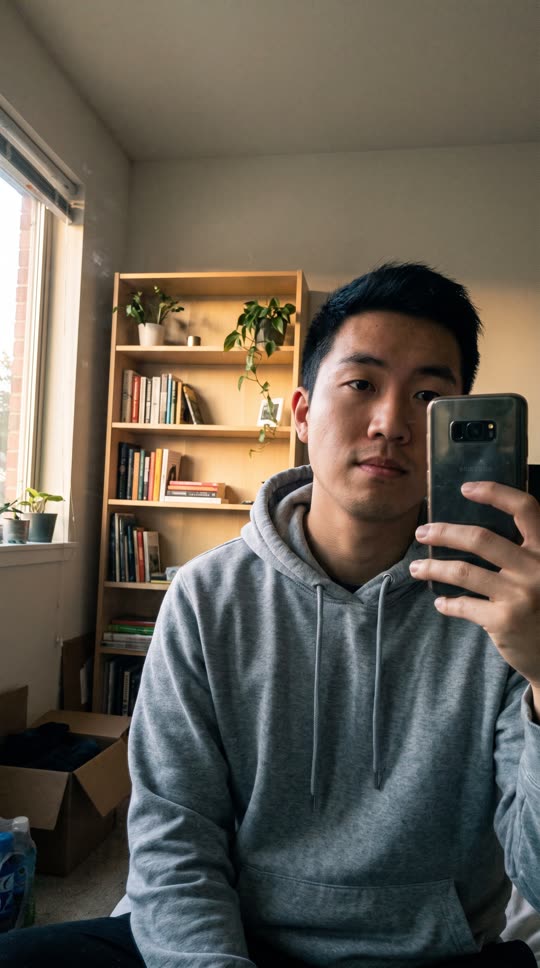
An ordinary selfie in a plain room. Snow starts falling, fairy lights appear on the walls and a small tree lights up.
 Photo
PhotoSanta visits
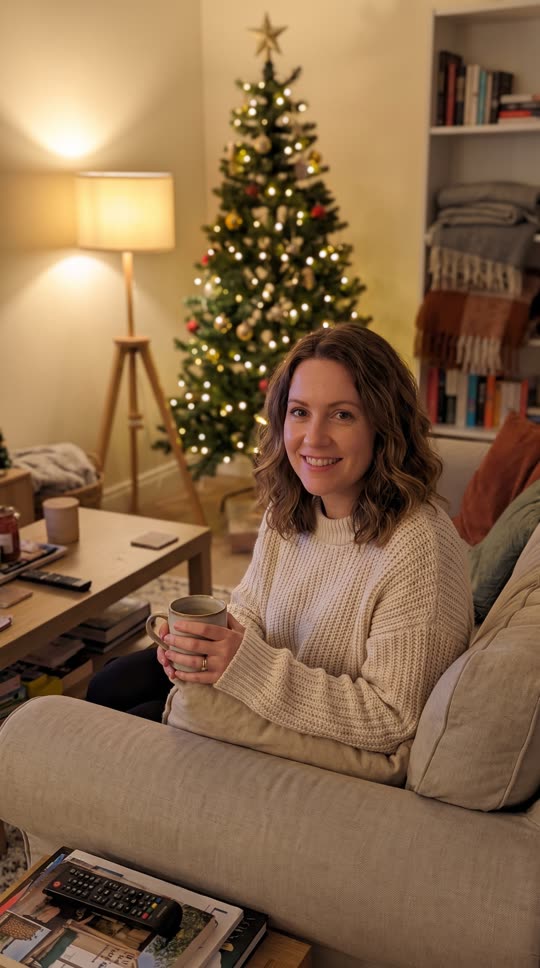
A photo on the sofa. Santa tiptoes in behind her, leaves a gift and waves at the camera while she points at him.
 Photo
PhotoSanta caught on camera
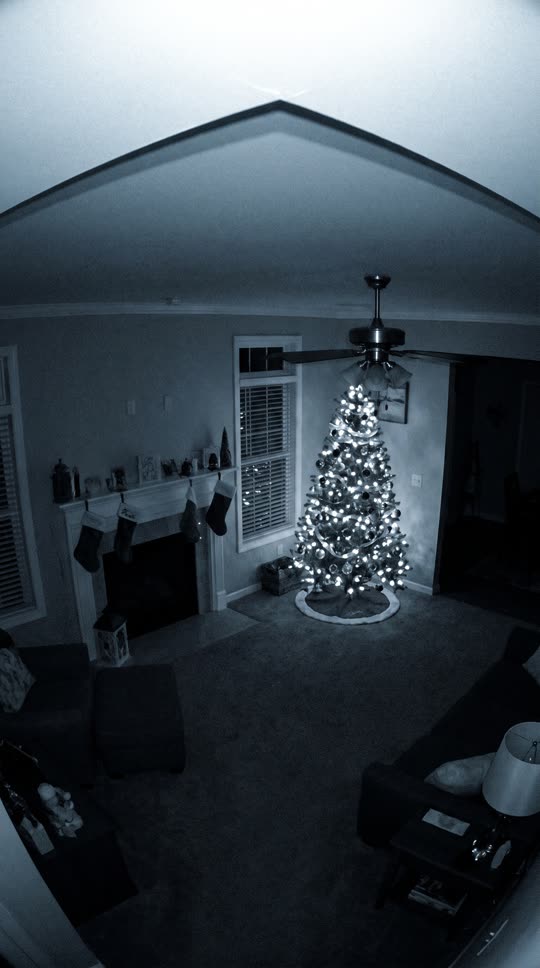
A still of a living room from a ceiling corner. Santa comes in with his sack, leaves presents under the tree and looks up at the camera.
 Photo
PhotoPet in a Santa hat
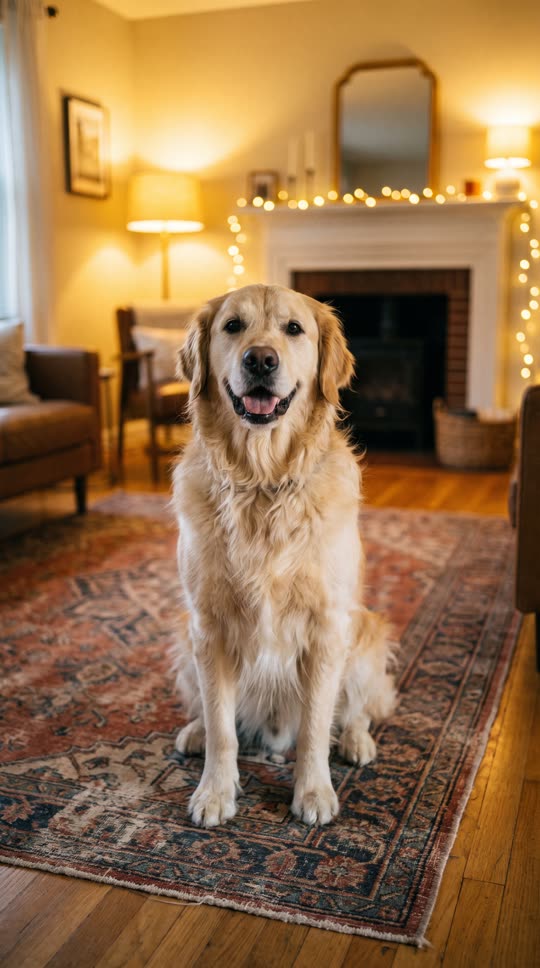
A golden retriever on a rug. A Santa hat lands on its head, snow drifts down and it wags its tail.
How to make an AI Christmas video
The scene, the motion and the sound are already set. You bring the photo.
1. Pick a Christmas scene
Choose Christmas magic, Santa visits, Santa caught on camera or Pet in a Santa hat. Each one has a sample so you can see what it does.
2. Upload one photo
A person, a couple, a room or a pet, depending on the scene. JPG, PNG or WebP up to 10 MB. A vertical photo gives a vertical video for Reels, TikTok and Stories.
3. Download the MP4
Your 5-second video with sound is usually ready in under a minute. Each video uses 75 credits, and new accounts usually get the first one free.
What people make with it
Proof that Santa came
Take a photo of your living room on Christmas Eve and show the kids the "security footage" in the morning.
A Christmas card that moves
Send family a 5-second video instead of a static card: snow, lights and you waving.
Your pet's Christmas post
Put a Santa hat on the dog without the dog having to cooperate.
A quick holiday story or reel
A vertical clip with sound, ready for Instagram Stories, Reels, TikTok or WhatsApp.
AI Christmas video questions
What people ask before making their first video.
Is the AI Christmas video free?
New accounts can usually make their first video free: sign in with Google or a verified email. It is one free video per account across FreyaVideo, and free spots are limited each day. After that each video uses 75 credits; the $9 Starter Pack adds 600 credits (about 8 Christmas videos), valid for 365 days, as a one-time payment with no subscription.
What photo should I use?
It depends on the scene. For Christmas magic and Santa visits, a photo of a person with the face visible and some room around them. For Santa caught on camera, a photo of the room itself, taken from high up. For the Santa hat, one dog or cat with its head clearly visible. JPG, PNG or WebP up to 10 MB.
How long is the video and how long does it take?
Each video is 5 seconds with sound, at 768p, and follows the shape of your photo. On FreyaVideo, this model's videos took a median of 27 seconds and 90% finished within 43 seconds (142 videos, 14 days to October 29, 2026).
Can I use a photo of my kids or my family?
Yes, as long as you have the right to use the photo. Photos of children should be uploaded by a parent or guardian. Photos with nudity, real public figures or copyrighted characters are refused.
Will it look exactly like me?
It starts from your photo, so the person, the room and the lighting carry over. Faces can still change slightly when people move or turn, and small details like text in the background may warp. If a result is off, try a sharper photo with the face larger in the frame.
What if a video fails?
If a generation fails, its credits go back to your balance automatically; you don't need to contact us. A purchase with no credits used can be refunded in full within 7 days.
One photo. Five seconds. A little Christmas magic.
75 credits per video, no subscription. New accounts usually get the first one free.