 Camera
 Cloud AI
Silver bob preset
Built for macOS & Apple Silicon · Live below
Run real-time AI webcam face swap on MacBook in Chrome or Safari—no Python, CUDA, or NVIDIA GPU needed. Try it free on this page, then pay per use with one-time credits.
FreyaVideo runs on cloud GPUs inside Chrome or Safari with no native macOS virtual-camera driver. To send the AI feed into Zoom, Google Meet, or Discord on Mac, route the browser window through free OBS Studio (macOS Screen Capture → Window Capture). For strict offline local inference, a dedicated NVIDIA desktop setup remains better suited. Read the macOS OBS + Zoom / Meet / Discord guide
New accounts get 60 seconds free
Use only your own face or characters. No sexual content or impersonation. See Terms.
From $4.99 ≈ 10 live minutes · 60s free trial for new accounts after sign-in
Camera preview is free and needs no account.
Become another person: face, hair and outfit.
Freya does not record your camera. While a session runs, video is processed by XMAX in real time.
Real cloud output
Every clip and before/after pair below comes straight from cloud AI inference with no local weights or post-editing. On Apple Silicon or Intel Macs, you also get 6 instant full-frame webcam restyles in the same tab.
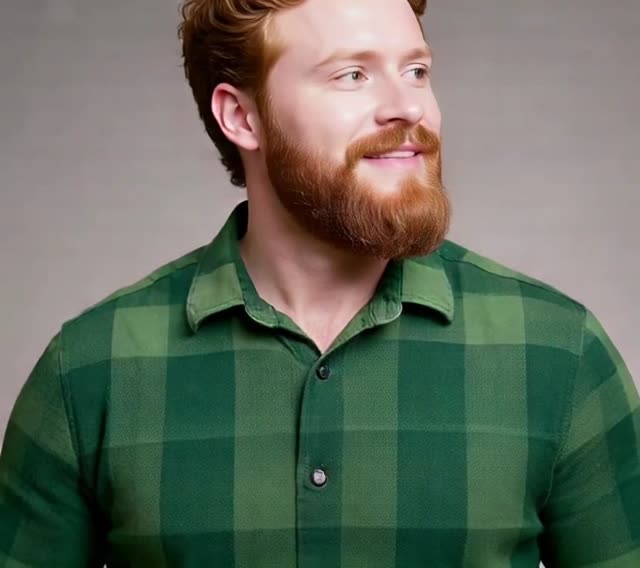
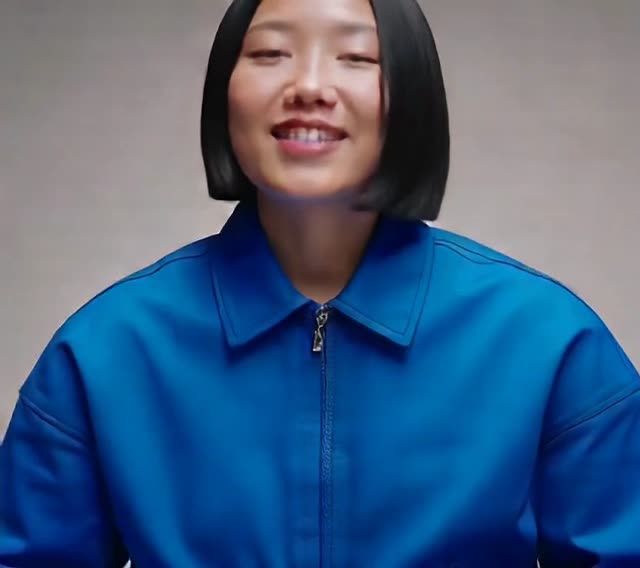
Unedited browser capture: switching character presets and full-frame styles on a standard laptop webcam.
CameraCloud AISilver bob preset
 Camera
 Cloud AI
Red beard preset
 Camera
 Cloud AI
Pink hair preset
 Camera
 Cloud AI
Blue jacket preset
Objective comparison
Because macOS has no NVIDIA CUDA support, local webcam tools like Deep-Live-Cam, DeepFaceLive, or Swapface either skip Mac or demand heavy workarounds. Compare the two workflows below.
| Category | FreyaVideo (Mac Browser Cloud) | Local Installs (Python / CUDA Tools) |
|---|---|---|
| Apple Silicon & Intel support | Works identically on M1, M2, M3, M4, and Intel Macs in Chrome, Safari, or Edge. | Most projects target Windows + NVIDIA CUDA; macOS builds frequently hit dependency errors or sluggish frame rates. |
| Setup time | Zero setup—no Homebrew, Python virtualenvs, ONNX runtime fixes, or dmg installers. | Often takes 30+ minutes debugging Python versions, model weights, and macOS permissions. |
| Heat & fan noise | Cloud GPUs do the heavy lifting, keeping your MacBook cool, quiet, and battery-friendly. | Local inference pushes CPU/GPU hard, causing thermal throttling and loud fan spin on thin laptops. |
| MacBook storage | Zero gigabytes of local checkpoints or Python packages. | Requires several gigabytes of SSD space for models and dependencies. |
| Price model | New accounts receive a 60-second free trial. After that, live AI video uses 30 credits per minute, billed by the second from the first AI frame and rounded up to a whole credit per session. The Mini pack is $4.99 for 300 credits and Starter is $9 for 600 credits. Both are one-time purchases with no subscription. Credits in both packs remain valid for 365 days. | Open-source tools are free to download, but you absorb setup time and hardware limits. |
| Zoom / Meet / Discord on macOS | No native macOS virtual-camera driver; bridge the browser tab via free OBS macOS Screen Capture (Window Capture). | Some local apps bundle virtual cameras, though reliable real-time output mostly favors Windows NVIDIA rigs. |
| Privacy & processing | Cloud AI processes your webcam feed and reference portrait during an active session. | Processing stays on your own machine when local hardware supports it. |
| Best for | MacBook and iMac owners who want live face swap for Mac right away with pay-per-use billing. | Creators with a dedicated Windows NVIDIA PC who need strict offline local processing. |
Who should choose which
Start in 3 steps
Open the embedded camera panel right above in Chrome, Safari, or Edge—no dmg download.
Choose a built-in fictional preset, switch to a live art style, or upload a portrait you have permission to use.
Grant browser camera permission, sign in, and start your 60-second free trial immediately.
FAQ
Yes. Because real-time inference runs on cloud GPUs, any MacBook, Mac mini, or iMac running Chrome, Safari, or Edge with a webcam can use it without special hardware.
Popular desktop apps such as Deep-Live-Cam, DeepFaceLive, and Swapface are built primarily around NVIDIA CUDA GPUs, which macOS does not support. Running cloud AI in your browser removes that bottleneck.
No. Everything runs inside your browser tab right on this page—no terminal commands, no local checkpoints, and no fan spin.
FreyaVideo does not install a native macOS virtual-camera driver. Instead, open free OBS Studio, add a macOS Screen Capture source set to Window Capture for the FreyaVideo browser window, crop to the AI output, and start OBS Virtual Camera (see our linked guide).
New accounts receive a 60-second free trial. After that, live AI video uses 30 credits per minute, billed by the second from the first AI frame and rounded up to a whole credit per session. The Mini pack is $4.99 for 300 credits and Starter is $9 for 600 credits. Both are one-time purchases with no subscription. Credits in both packs remain valid for 365 days.
No. Mini is $4.99 for 300 credits and Starter is $9 for 600 credits. Both are one-time purchases with no automatic renewal. Credits in both packs remain valid for 365 days.
Scroll up to test 60 seconds free in Chrome or Safari. Afterward, pay only 30 credits per minute—billed by the second, no subscription.