
remove.bg is shutting down its standalone website, so if it is part of your product-photo routine, now is a good time to prepare another route. The company has announced that its standalone website will become unavailable on December 1, 2026, at 9:00 a.m. CET, as its background-removal functionality moves into Canva. This is a platform migration, not the disappearance of background removal itself. See the official migration FAQ for the latest details.
For product sellers, the practical question is how to keep preparing usable marketing assets without interrupting work. A seller who edits a few photos manually and a team that processes a catalog through an API will have different requirements. Check the current account, pricing, export and integration terms before choosing a replacement.
You can also use this transition to review what happens after the background is removed. A clean listing photo remains useful. When you also need motion for a promotion, that image can become the starting point for a short video.
Keep your product-image workflow working
1. Choose the background-removal step around your actual needs
Start with a small set of representative images: a straightforward product on a plain surface, an item with fine edges, and a transparent or reflective object. Test those same files in any replacement you are considering.
Canva is the destination named in the migration announcement. Other services you can investigate include Adobe Express and Photoroom. These are starting points for evaluation, not a ranking based on comparative testing.
Check the result at the resolution you intend to publish. Look for clipped edges, missing transparent details, unnatural shadows and unintended changes around labels. Also check the conditions of the plan you would actually use: sign-in requirements, export limits, commercial use, batch handling and access to any required API.
If your existing process is automated, test the complete replacement integration separately. A browser editor that produces a good image does not necessarily replace the same API workflow. Keep originals and exports you need under your own control, and consult the migration FAQ for account-specific questions.
2. Prepare the image for its next destination
Background removal is optional for video creation. If the original product photo already has good lighting and a suitable composition, you may be able to use it directly.
A transparent PNG is useful when placing an object into a new design. Before using it as a video source, compose it onto the background you actually want viewers to see. Do not assume a video model will interpret transparency as your intended scene or preserve it in an MP4.
For a product promotion, use a clear, well-lit image with enough room around the subject for gentle motion. For an offer or event, prepare a finished promotional flyer with the intended layout first. Check prices, dates and spelling before generating a video.
3. Add motion when the campaign calls for it
FreyaVideo helps you turn product photos into videos. It handles the video step; it is not a replacement for a dedicated background-removal tool.
For a product image, open Image to Video, upload the prepared picture and describe the movement you want. A restrained camera push or lighting change is a useful starting point. Asking for a full rotation from a single photograph requires the model to invent unseen surfaces, so it can introduce inaccurate product details.
For a finished promotional graphic, use the Animated Flyer Maker. Keep the instruction focused on motion rather than redesigning the offer. FreyaVideo offers pay-per-use options; check the current pricing and the generation estimate for the selected settings before starting.
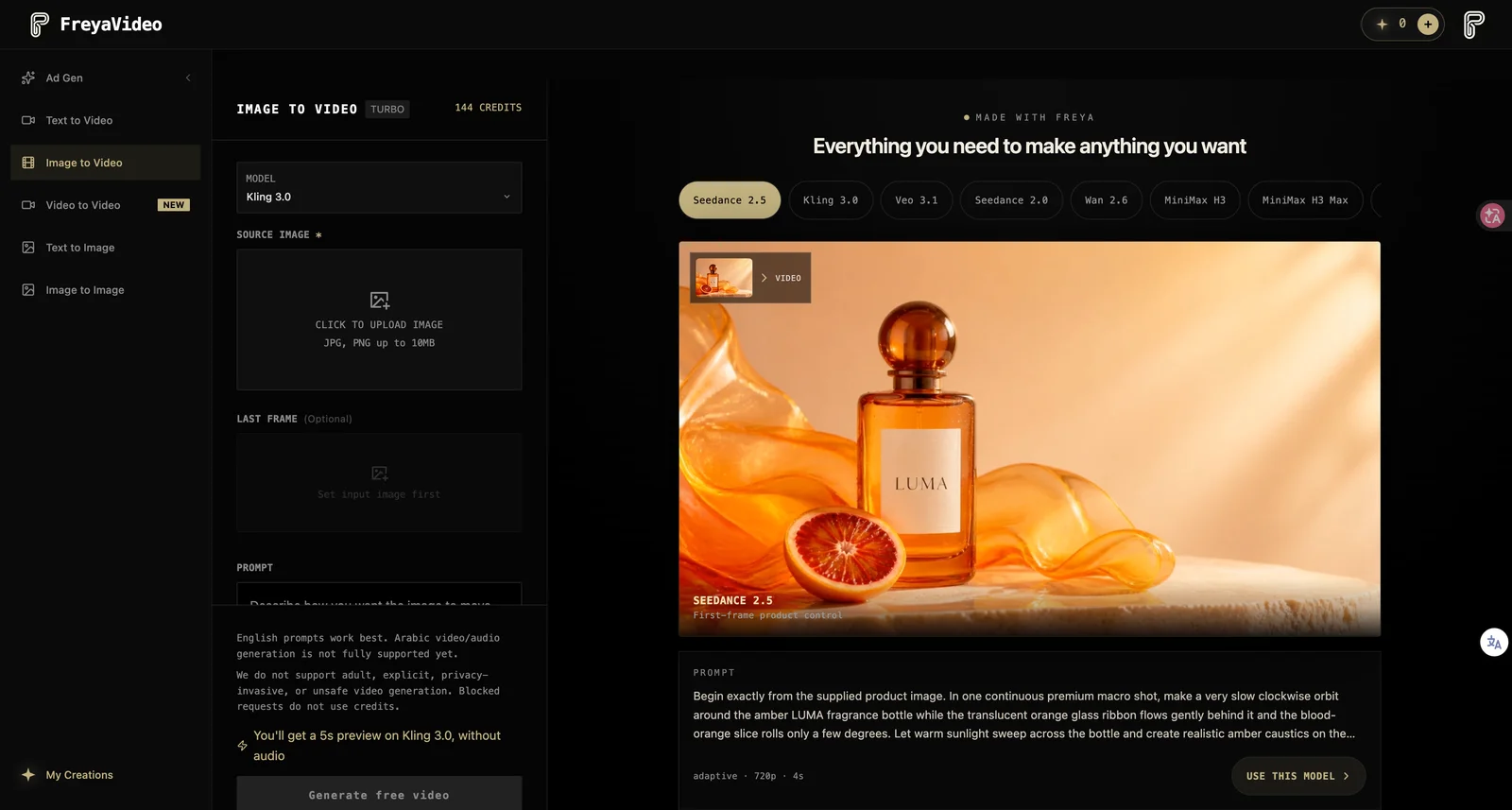
Actual interface captured September 8, 2026. The product showcase is an existing site example, not the mug recipe below. Settings and credit estimates may change.
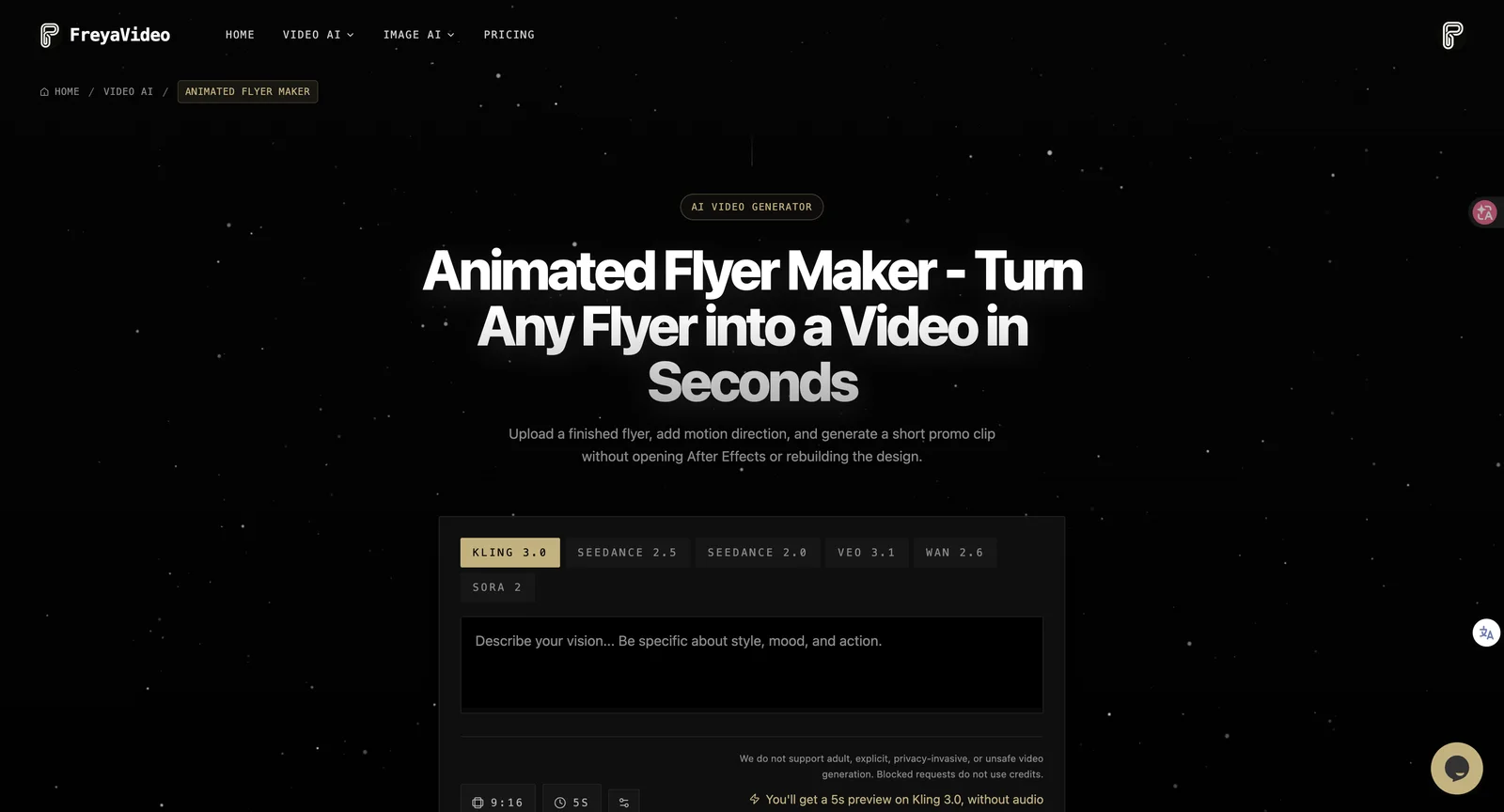
Actual tool interface: start with finished artwork, describe motion, and review the selected model and generation conditions.
With remove.bg moving to Canva, you can keep background preparation and video creation as separate steps, choosing the tools that fit each part of your workflow.
Example workflow: a product photo becomes a short promotional clip
The following is an illustrative recipe, not a reported benchmark or a claim that a particular output has already been generated.
Imagine a seller preparing a promotion for a ceramic mug. Start with a clear front three-quarter photograph. If you remove the background, place the cutout on a simple, finished tabletop composition before uploading it.
In FreyaVideo, choose a model and duration that support your intended clip. For a ten-second version, confirm that the selected model offers that duration and review the displayed credit estimate. Try this motion instruction:
Slow, gentle camera push toward the ceramic mug on the tabletop. Keep the mug's shape, handle, color and visible design consistent with the reference image. Soft natural light. No rotation, no new objects, no added text.
Review the result before publishing. Is the handle intact? Has the printed design changed? Does the mug remain stable throughout the clip? If there is distortion, reduce the requested motion and try a simpler shot. A prompt guides the model; it does not guarantee product accuracy.
If you need an offer, price or date displayed exactly, review every frame containing that text. Adding final text in a conventional editor after generation can give you more control than asking a model to render it.
The same approach can help you turn product photos into videos for social campaigns while keeping your original still images for listings. Motion is an additional format, not a guarantee of higher sales.
Questions product sellers may have
Is remove.bg shutting down?
Its independent website is scheduled to become unavailable on December 1, 2026, at 9:00 a.m. CET. Its background-removal functionality is moving to Canva. Check the official FAQ for updates and details affecting your account.
What happened to remove.bg?
The company says it became part of Canva in 2021 and is now moving its background-removal functionality into the Canva platform.
What's the best remove.bg alternative?
That depends on your workflow. Compare the quality of exported images, cost at your volume and whether you need manual editing, batch processing or an API. Test your own difficult product images before committing. FreyaVideo serves the subsequent video-creation step rather than replacing background removal.
Do I have to remove the background before creating a video?
No. A usable original image can be the starting point. Remove or replace the background only when it helps prepare the scene you want to animate.
Where should I start with a promotional flyer?
Use the Animated Flyer Maker to add motion to finished artwork. For the dedicated conversion workflow, visit Flyer to Video.
Last reviewed: September 8, 2026. Migration details may change; the official announcement remains the reference for service and account changes.