
Start with H3 Max when rapid iteration and its listed cost fit your brief. Consider Kling 3.0 Standard when you want to plan several shots with its multi-shot controls. The right choice depends on the clip you need to finish, not just the fastest render or the cheapest individual attempt.
Check the model variant first: View H3 Max and Turbo models and examples, or explore standard MiniMax H3 models and examples. This article discusses H3 Max. Standard H3 is a different variant: check its own page for controls rather than applying the settings or speed conclusions here to it.
This H3 Max vs Kling comparison uses the text-to-video and image-to-video endpoints for H3 Max and Kling 3.0 Standard on fal. “Kling” covers several models and service tiers, so the prices and controls below should not be applied to every Kling subscription or endpoint.
Checked September 4, 2026. This is a comparison of published specifications and prices, with an original evaluation workflow—not a hands-on quality benchmark. The illustrations were created for this guide; they are not H3 Max or Kling test results.

AI-generated illustration of a matched-input comparison. The filmstrips do not show outputs from H3 Max or Kling.
H3 Max vs Kling at a glance
| Question | H3 Max | Kling 3.0 Standard |
|---|---|---|
| What inputs can you start from? | Text or a starting image | Text or a starting image |
| Clip length | 5–15 seconds | 3–15 seconds |
| Native output tier compared here | 768p; a 480p option also exists | 720p Standard |
| Audio | Native synchronized audio | Native audio can be enabled or disabled |
| Starting and ending frames | Supported on the image route | Supported on the image route |
| Controls to consider | Prompt expansion and simple text/image generation | Multi-shot prompts and character/object elements |
| How to assess speed | Separate backend rendering from the full wait | Time the same complete workflow and settings |
H3 Max is fal's post-trained MiniMax H3 variant. Its limits and the 720p Kling Standard comparison tier are documented in the H3 Max overview; Kling's controls are documented in its Standard image-to-video schema. These are nearby output tiers, not identical pixel dimensions.
H3 Max also has a separate reference-to-video endpoint for reference images, video, and audio. That route is outside this comparison; the table is not a claim that H3 Max lacks reference capabilities.
Speed: what the H3 Max headline actually measures
fal's launch announcement advertises a five-second H3 Max clip rendered in under three seconds. The H3 Max API defines timings.inference as GPU denoising time. Uploading an image, waiting in a queue, preparing a prompt, and receiving a playable file add other steps. See fal's announcement and the timing field in the API.
That makes H3 Max an interesting candidate for trying several creative directions while your brief is still flexible. It does not establish a guaranteed click-to-download time, or prove that every H3 Max request finishes before every Kling request.
For your own comparison, start the timer at submission and stop when the result plays. Keep the same image, duration, aspect ratio, audio requirement, and similar output tier. Record failed attempts as well as successful ones. Our fastest AI video generator guide includes a worksheet for that check.
Cost: compare audio and duration before comparing prices
The table uses standard fal API list prices in USD, excluding temporary promotions. It does not describe FreyaVideo credits or a Kling website subscription.
| Model and setting | Per generated second | 5-second clip | 10-second clip |
|---|---|---|---|
| H3 Max, 480p, native audio | $0.05 | $0.25 | $0.50 |
| H3 Max, 768p, native audio | $0.08 | $0.40 | $0.80 |
| Kling 3.0 Standard, audio off | $0.084 | $0.42 | $0.84 |
| Kling 3.0 Standard, audio on | $0.126 | $0.63 | $1.26 |
| Kling 3.0 Standard, audio and voice control | $0.154 | $0.77 | $1.54 |
Rates are from H3 Max pricing and Kling Standard pricing; clip totals are rate multiplied by duration. fal's H3 Max promotional copy differed between pages when checked, so confirm the live price before generating rather than budgeting around a launch discount.
For a five-second clip with audio, the listed comparison is $0.40 versus $0.63. H3 Max is about 36.5% lower per attempt under those settings. If you do not need generated sound, the Kling comparison becomes $0.42 instead, leaving a much smaller price difference.
Your useful measure is total spend divided by usable clips. As an illustration—not a measured result—three $0.40 attempts to get one usable shot cost $1.20, while one usable $0.63 attempt costs $0.63. A lower request price only helps if the results meet your brief often enough.
Product clips: start with the simplest motion that sells the idea
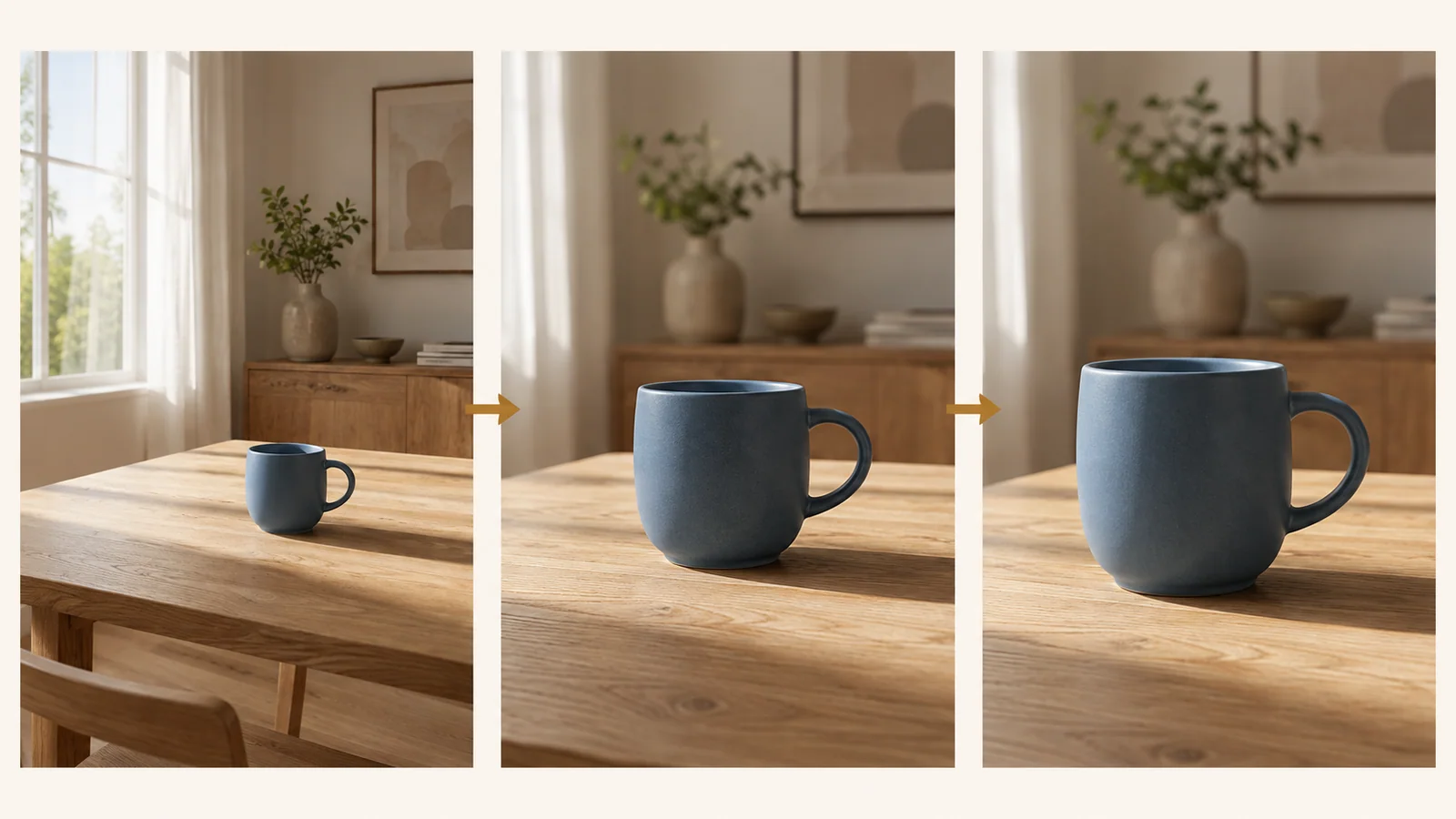
AI-generated storyboard illustration: one subject, three planned framings. These panels show a proposed camera move, not frames generated by either video model.
For a mug, bottle, shoe, or piece of jewelry, start by deciding what the movement should reveal. A slow push-in can emphasize material; a small sideways move can create depth. Neither requires a complicated sequence.
Use the same product photograph on both models and try an original brief like this:
The camera moves slowly a short distance to the right of the product. Keep the product stationary, with its silhouette and label placement unchanged. A soft studio reflection travels across its surface. The background remains simple and still. Quiet room ambience, no dialogue, one continuous shot.
Evaluate the actual output against the source image. Can a customer still recognize the product? Does its outline remain stable? Is any writing altered? A visually impressive result can still be unsuitable for a product listing if it invents a feature or changes the label.
H3 Max is a reasonable first candidate when this kind of short iteration is your priority. For more structured briefs, Kling's schema provides multiple shot prompts and reference elements for characters or objects. Those controls justify a separate test when your brief needs them; they do not guarantee better results on a simple shot. Kling control reference.
Which model fits your next job?
| Your next job | Where to start | What could change the choice |
|---|---|---|
| Explore several short visual directions | H3 Max with a short clip and balanced prompt expansion | Your actual full wait, output suitability, or queue conditions |
| Plan a sequence with separate shot instructions | Kling 3.0 Standard multi-shot controls | Whether the shots retain the subject and match the intended timing |
| Animate an exact product photograph | Test both image routes with the same restrained motion | Label fidelity and product shape matter more than a tiny price difference |
| Supply multiple reference images, video, or audio | Evaluate H3 Max's separate reference route as a different setup | Its settings and results cannot be inferred from the two routes compared here |
| Deliver a format above these resolution tiers | Check another tier or plan a separate finishing step | Do not describe an upscaled export as the original render resolution |
This is a starting-point recommendation based on published controls, not a claim that a model will pass your acceptance checks. Avoid migrating a whole production workflow after one pleasing clip.
Use a small comparison brief, not a beauty contest
Before spending on tests, write down three requirements that would make the clip publishable. For example: the cap stays attached, the logo remains readable, and the movement leaves room for a caption.
| Check | What to record |
|---|---|
| Prompt adherence | Did the requested action occur without extra actions? |
| Product consistency | Did shape, label, color, and important details survive? |
| Motion | Are the opening, movement, and final frame usable? |
| Audio | Is the sound appropriate, without unexpected voices? |
| Delivery | Total wait, download success, and any editing required |
| Cost | Total spend and number of usable takes |
Review all takes rather than selecting one lucky result from each model. If neither passes, simplify the brief or improve the source image before buying more attempts. Keep the settings alongside each result so your choice can be repeated on the next product.
Where to start
Review H3 Max models and examples alongside Kling 3.0 models and controls on FreyaVideo, then compare the same shot brief. Generate with H3 Max or Turbo on FreyaVideo and review the selected variant and credit estimate before submitting; the fal Standard prices above are not a FreyaVideo quote. For step-by-step FreyaVideo instructions, follow our H3 Max tutorial.
For the models available in FreyaVideo today, open the image-to-video creator. Start with your own photo and a short motion brief, then review the selected model's settings and displayed credit cost.
Frequently asked questions
Is H3 Max faster than Kling?
fal advertises a five-second 768p H3 Max render in under three seconds. That is a backend render claim, not a matched end-to-end comparison with Kling. Measure the complete wait under the same conditions before choosing on speed alone.
Is H3 Max cheaper than Kling 3.0?
At the checked fal list prices, five seconds of H3 Max at 768p costs $0.40, versus $0.63 for Kling 3.0 Standard with audio. Promotions, audio settings, and the number of attempts needed can change the practical comparison. These are provider API prices, not FreyaVideo credit prices.
Which model should I try for product videos?
Start with H3 Max for quick, simple concept iterations. Consider Kling 3.0 when you need its documented multi-shot or character and object reference controls. Check your actual product shape, label, motion, and sound before choosing a result.
Can I choose H3 Max in FreyaVideo?
FreyaVideo has an H3 Max model page with controls and verified examples. Both H3 Max and Turbo generate on FreyaVideo; check the selected variant and credit estimate before submitting.