
Want to use Veo 3 outside the US? You're not alone. Google's Veo 3 is one of the most advanced AI video generators available, but it's not accessible everywhere.
In this guide, I'll show you how to use Veo 3 outside the US without VPNs or complicated workarounds. The solution is simpler than you think.
Why Is Veo 3 Not Available in Your Country?
Google released Veo 3 with limited geographic availability. Currently, direct access to Veo 3 is restricted to:
- United States (primary)
- Select regions with Google AI availability
If you're trying to use Veo 3 outside the US, you'll likely hit one of these walls:
- "This service is not available in your region"
- Google account restrictions
- Waitlist that never moves
Why the restrictions? Google typically rolls out AI features gradually due to:
- Regulatory compliance in different countries
- Infrastructure limitations
- Content policy variations by region
The good news: there are legitimate ways to use Veo 3 outside the US right now.
3 Ways to Access Veo 3 Outside the US
Option 1: Wait for Official Rollout
Google will eventually expand Veo 3 availability. But "eventually" could mean months or years. If you need Veo 3 now, this isn't a real option.
Verdict: Not practical
Option 2: Use a VPN
Some users try VPNs to use Veo 3 outside the US by masking their location. Problems with this approach:
- Violates Google's Terms of Service
- Risk of account suspension
- Unreliable access
- Payment issues with non-US cards
Verdict: Risky, not recommended
Option 3: Use Third-Party Platforms (Best Option)
Several platforms have legitimate API access to Veo 3 and offer it globally. This is the cleanest way to use Veo 3 outside the US.
Verdict: Recommended
How to Use Veo 3 on FreyaVideo (Step-by-Step)
FreyaVideo provides Veo 3.1 access to users worldwide. Here's how to use Veo 3 outside the US through FreyaVideo:
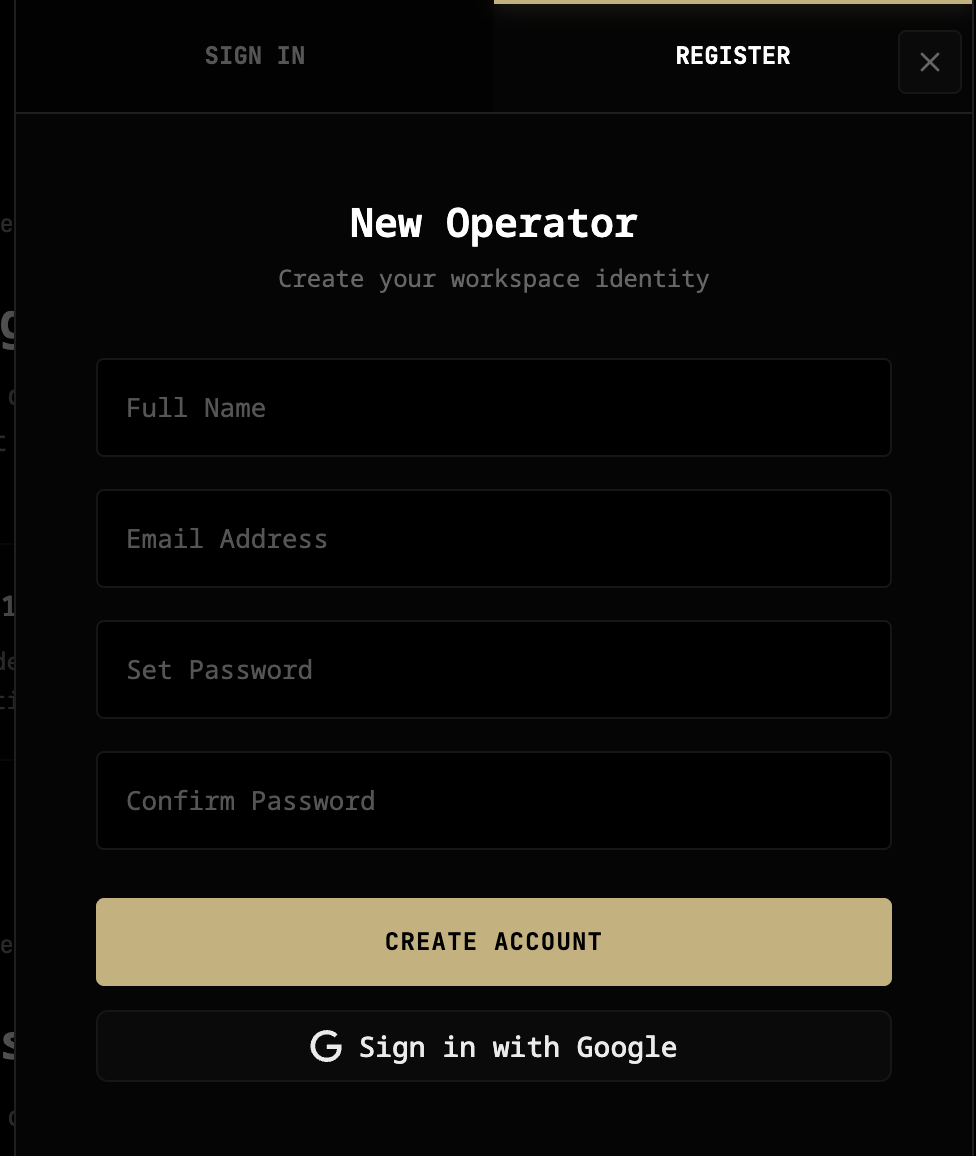
Step 1: Create Your Account
Go to freyavideo.com and sign up. No geographic restrictions—works from any country.
Step 2: Buy Credits
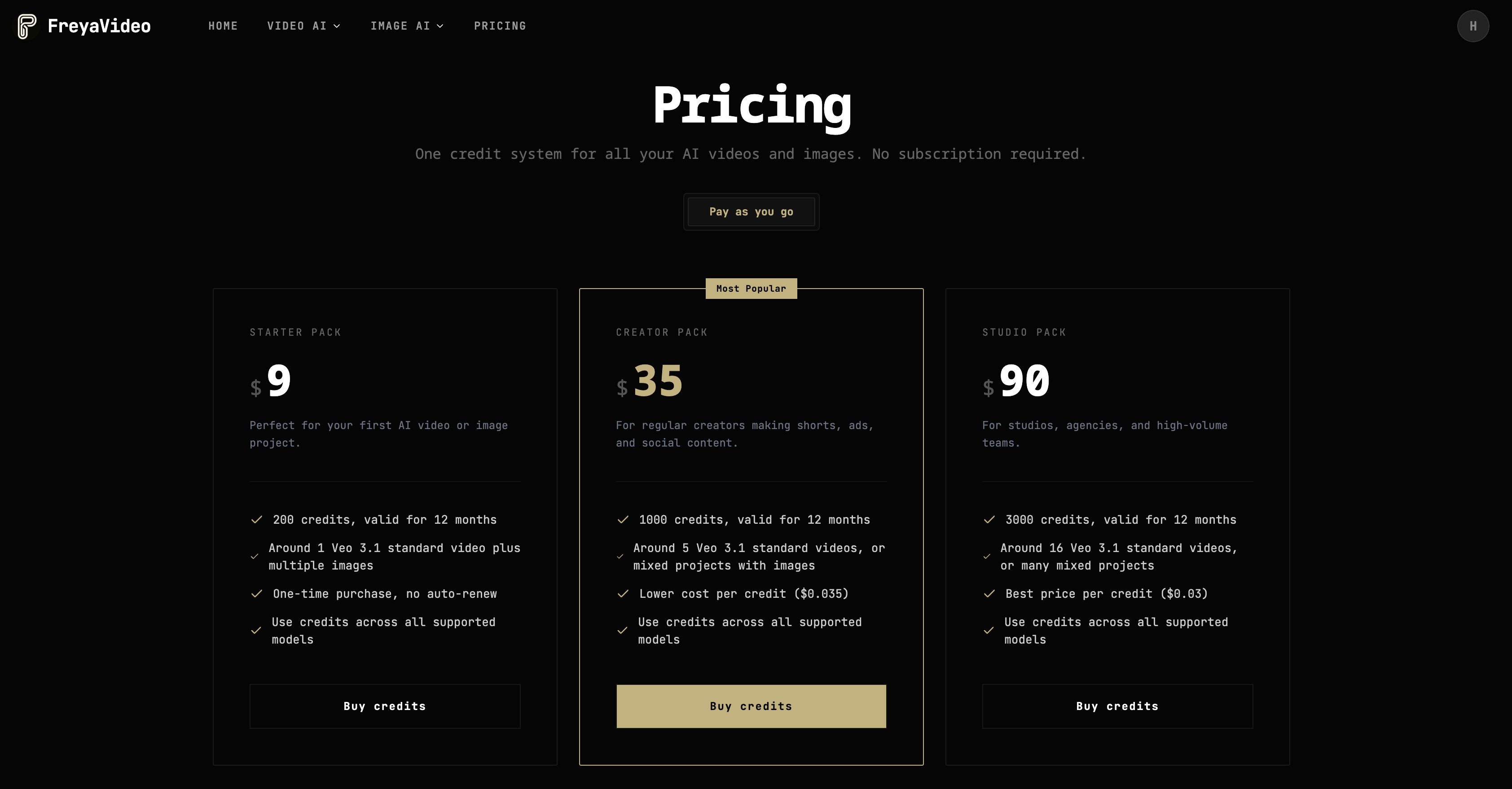
FreyaVideo uses a credit system. Purchase credits based on how much video you want to generate. No subscription required.
Step 3: Select Veo 3.1
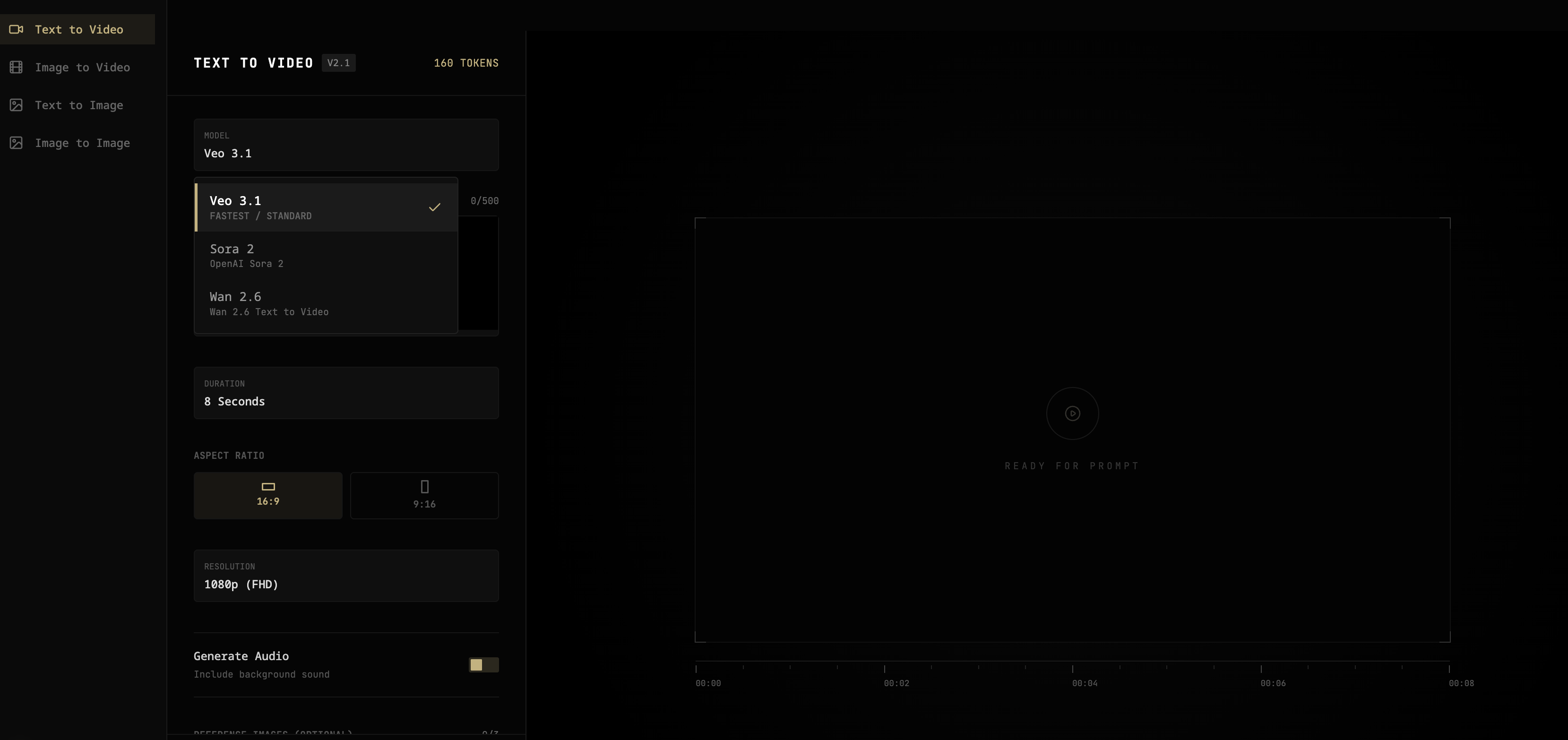
In the video creation interface, select Veo 3.1 from the model dropdown. You'll also see Sora 2 and Wan 2.6 as alternatives.
Step 4: Enter Your Prompt
Write a text description of the video you want. Be specific about:
- Subject and action
- Setting and atmosphere
- Camera angle and movement
- Lighting and mood
Example prompt:
A white cat sitting by a rainy window, looking outside, cozy atmosphere, soft natural lighting, cinematic
Step 5: Generate Your Video
Click generate and wait 1-2 minutes. Veo 3.1 will create your video with native audio included—rain sounds, ambient noise, everything synced automatically.
That's it. You've just learned how to use Veo 3 outside the US in 5 simple steps.
Veo 3 Pricing on FreyaVideo
When you use Veo 3 outside the US through FreyaVideo, you pay per second of video generated:
| Video Length | Cost |
|---|---|
| 4 seconds | $1.60 |
| 6 seconds | $2.40 |
| 8 seconds | $3.20 |
Why this pricing works:
- No monthly subscription
- Credits never expire
- Pay only for what you create
- No minimum purchase
Compare this to waiting months for official access, and the value is clear.
What You Can Create with Veo 3
Now that you know how to use Veo 3 outside the US, here's what you can make:
Social Media Content
- TikTok and Reels with built-in audio
- Engaging short clips
- Vertical video (9:16 supported)
Marketing Videos
- Product showcases
- Ad creatives
- Brand content
Creative Projects
- Short films
- Music video concepts
- Artistic experiments
The native audio feature makes Veo 3 especially powerful—no need to add sound in post-production.

Veo 3 vs Other Models
If you're looking to use Veo 3 outside the US, you might also consider alternatives available on FreyaVideo:
| Model | Audio | Max Length | Price |
|---|---|---|---|
| Veo 3.1 | ✅ Yes | 8s | $0.40/s |
| Sora 2 | ❌ No | 12s | $0.10/s |
| Wan 2.6 | ❌ No | 15s | $0.10/s |
When to use Veo 3: You need native audio or sound effects.
When to use alternatives: You need longer videos or lower cost.
FAQ
Is Veo 3 available outside the US officially?
Not yet. Google has limited Veo 3 to select regions. Third-party platforms like FreyaVideo offer legitimate global access through API partnerships.
Do I need a VPN to use Veo 3 outside the US?
No. Using FreyaVideo, you can access Veo 3 from any country without VPN. This is the safer, more reliable method.
How much does it cost to use Veo 3 outside the US?
On FreyaVideo, Veo 3.1 costs $0.40 per second. An 8-second video costs $3.20. No subscription or monthly fees.
Is the video quality the same as official Veo 3?
Yes. FreyaVideo uses the same Veo 3.1 model through legitimate API access. You get identical quality and features, including native audio.
Start Using Veo 3 Today
You don't have to wait for Google to expand to your region. You can use Veo 3 outside the US right now through FreyaVideo.
What you get:
- Veo 3.1 with native audio
- Global access, no VPN needed
- Pay-per-use pricing
- No subscription required
→ Try FreyaVideo and start creating with Veo 3 today.
Last updated: December 2025