
Google's Veo 3 and OpenAI's Sora 2 are the two most advanced AI video generators in 2025. Both can create cinematic videos from text prompts, but they have key differences that matter.
In this Veo 3 vs Sora 2 comparison, I'll break down video quality, audio capabilities, pricing, and help you decide which model fits your needs.
Spoiler: You don't have to choose—FreyaVideo lets you use both.
Quick Comparison: Veo 3 vs Sora 2
| Feature | Veo 3.1 | Sora 2 |
|---|---|---|
| Developer | Google DeepMind | OpenAI |
| Native Audio | ✅ Yes | ❌ No |
| Max Video Length | 8 seconds | 12 seconds |
| Resolution | 1080p | 1080p |
| Direct Access | API only | ChatGPT Pro ($200/mo) |
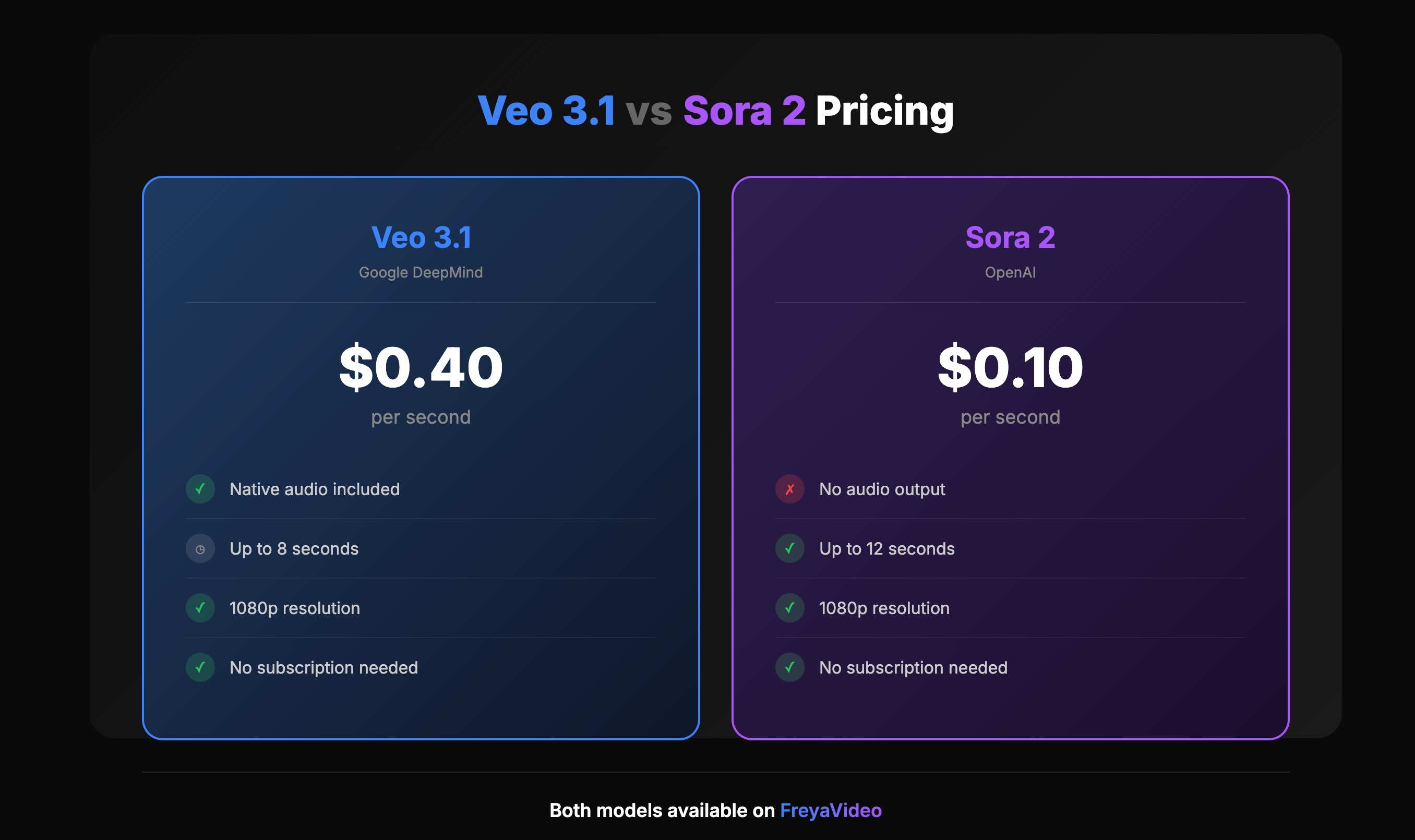
| Via FreyaVideo | $0.40/second | $0.10/second |
| Best For | Videos with sound | Cinematic visuals |
What is Google Veo 3.1?
Veo 3.1 is Google DeepMind's latest text-to-video model. Released in 2025, it's the first major AI video generator that creates native audio alongside the video.
This means when you prompt "a dog barking on a beach," Veo 3.1 generates the video AND the matching sound—barking, waves, wind—all synchronized automatically.
Key features:
- Native audio generation (sound effects, dialogue, ambient noise)
- High visual quality comparable to Sora
- Up to 8 seconds per generation
- 1080p resolution
- Available through API platforms like FreyaVideo
What is OpenAI Sora 2?
Sora 2 is OpenAI's flagship video generation model. It gained massive attention for producing highly realistic, cinematic videos that were nearly indistinguishable from real footage.
Key features:
- Industry-leading visual realism
- Smooth motion and physics simulation
- Up to 12 seconds per generation
- 1080p resolution
- Available through ChatGPT Pro ($200/month) or API platforms
The catch? Sora 2 doesn't generate audio. You'll need to add sound in post-production.
Video Quality: Veo 3 vs Sora 2
Both models produce impressive results, but there are subtle differences.
Sora 2 Strengths
- Cinematic look: Sora 2 videos often have a more "filmic" quality
- Motion handling: Smooth camera movements and object tracking
- Human faces: Generally more consistent facial features
Veo 3.1 Strengths
- Integrated audio: Sound adds realism that pure video can't match
- Natural lighting: Excellent at matching audio to visual atmosphere
- Scene coherence: Good at maintaining consistency throughout the clip
The Verdict
Pure visual quality? Sora 2 has a slight edge.
But when you factor in audio, Veo 3.1 delivers a more complete product—no editing required.
Audio: Veo 3's Biggest Advantage
This is where the comparison gets interesting.
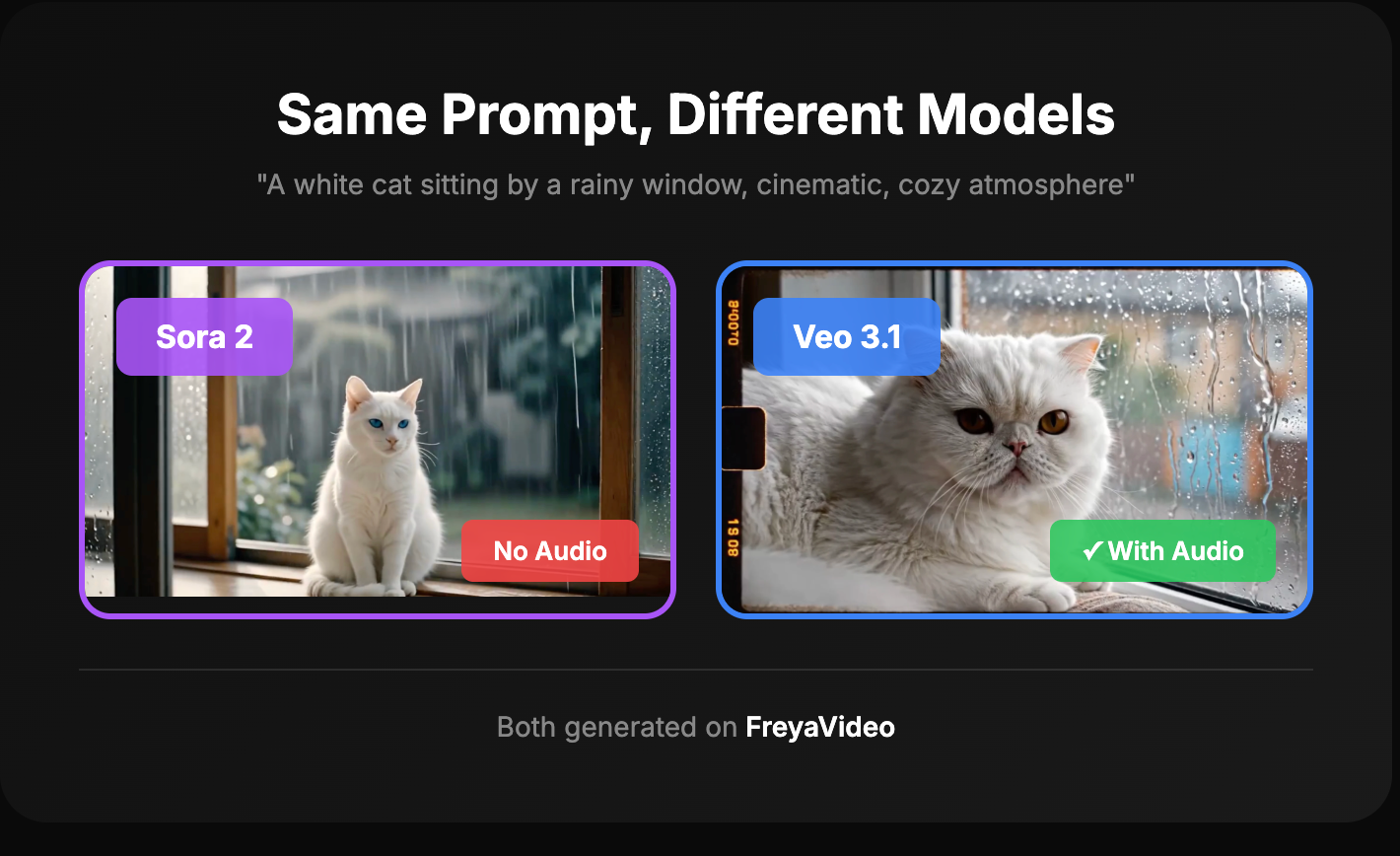
Sora 2: No audio. You get silent video. Adding sound means:
- Finding or licensing music/effects
- Syncing audio manually
- Extra editing time
Veo 3.1: Native audio included. The AI generates:
- Sound effects (footsteps, doors, nature sounds)
- Ambient noise (crowd chatter, wind, rain)
- Even dialogue if prompted
Real-World Impact
For a 10-second product video:
- With Sora 2: Generate video (2 min) + find audio (10 min) + sync (5 min) = 17 minutes
- With Veo 3.1: Generate video with audio (2 min) = 2 minutes
If you're creating content at scale, this difference adds up fast.
Pricing: Veo 3 vs Sora 2 Cost
Sora 2 Pricing
Official access: ChatGPT Pro subscription at $200/month
For occasional users, this is expensive. If you generate 20 videos per month, that's $10 per video just for the subscription.
Via FreyaVideo: $0.10 per second
- 4-second video = $0.40
- 8-second video = $0.80
- 12-second video = $1.20
Veo 3.1 Pricing
Official access: Not directly available to consumers. API access through Google Cloud.
Via FreyaVideo: $0.40 per second
- 4-second video = $1.60
- 6-second video = $2.40
- 8-second video = $3.20
Cost Comparison
| Scenario | Sora 2 (FreyaVideo) | Veo 3.1 (FreyaVideo) |
|---|---|---|
| One 8s video | $0.80 | $3.20 |
| 10 videos/month (8s each) | $8.00 | $32.00 |
| Need audio? | + editing time | Included |
Bottom line: Sora 2 is cheaper per second, but Veo 3.1 saves time if you need audio.
Speed and Video Length
Generation Time
Both models take roughly 1-3 minutes per video, depending on server load. No significant difference here.
Maximum Length
- Sora 2: Up to 12 seconds
- Veo 3.1: Up to 8 seconds
If you need longer clips, Sora 2 wins. For most social media content (TikTok, Reels, ads), 8 seconds is often enough.
Which Should You Choose?
Choose Veo 3.1 if:
- You need videos with sound
- You're creating social media content or ads
- You want to skip audio post-production
- You value time savings over cost savings
Choose Sora 2 if:
- You need longer videos (up to 12s)
- Pure visual quality is your priority
- You'll add custom audio anyway
- Budget is a primary concern
Choose Both if:
- You want flexibility for different projects
- You're testing which model works better for your content
- You don't want to commit to one platform
Use Both Models on FreyaVideo
Here's the thing: you don't have to pick one.
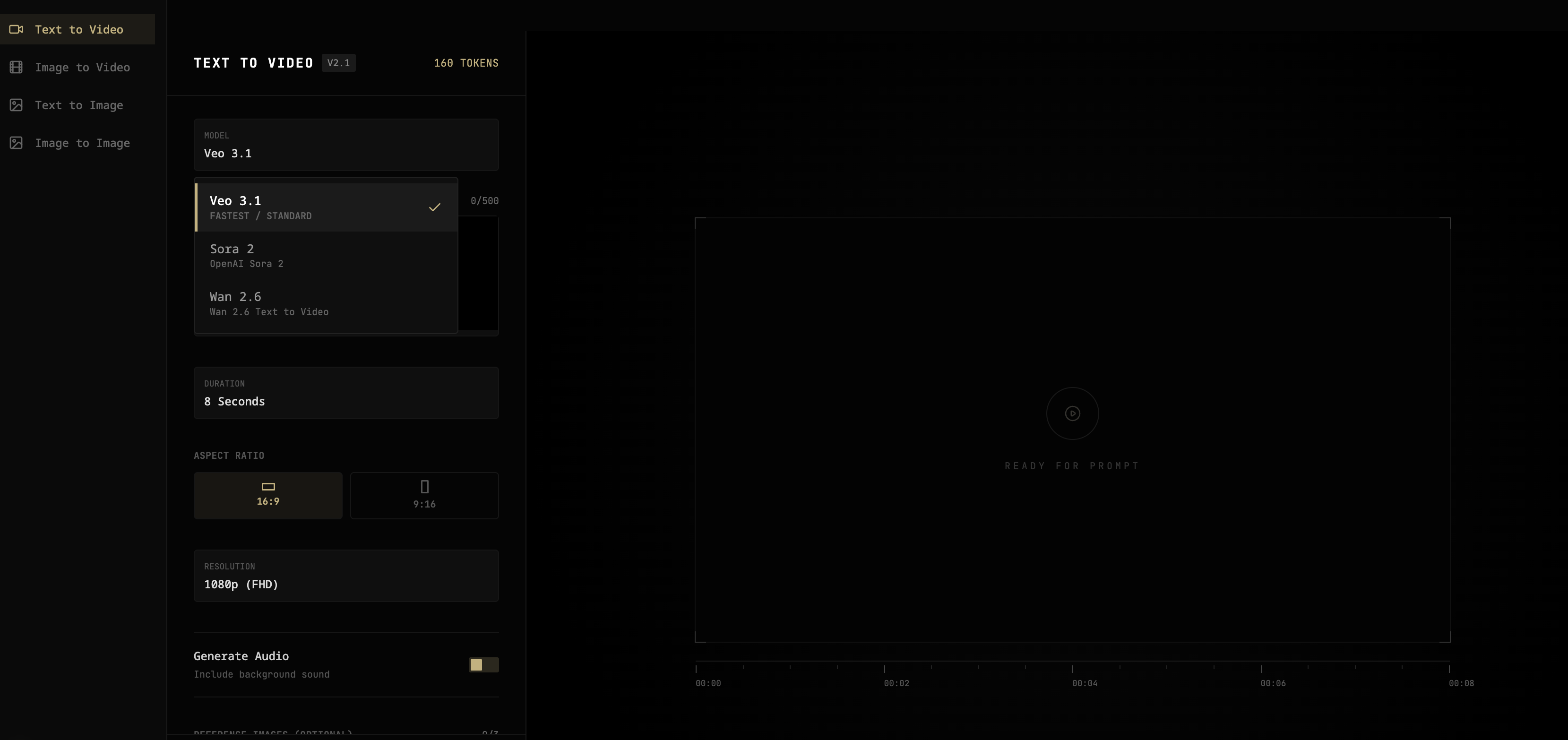
FreyaVideo gives you access to both Veo 3.1 and Sora 2 (plus Wan 2.6 for longer, budget-friendly videos) in one platform.
How it works:
- Buy credits once
- Use credits on any model
- No subscription—credits never expire
This lets you:
- Use Veo 3.1 when you need audio
- Use Sora 2 when you need longer videos or maximum visual quality
- Compare results side by side
Pricing reminder:
- Sora 2: ~$0.10/second
- Veo 3.1: ~$0.40/second
- Wan 2.6: ~$0.10/second (up to 15s)
→ Try FreyaVideo — Access Veo 3, Sora 2, and more with pay-per-use pricing.
FAQ
Is Veo 3 better than Sora 2?
Neither is universally "better." Veo 3.1 excels at generating videos with native audio. Sora 2 produces slightly better pure visuals and supports longer videos. Choose based on your specific needs.
Can I use Veo 3 for free?
Veo 3.1 isn't available for free directly. You can access it through API platforms like FreyaVideo at $0.40 per second with no subscription required.
Does Sora 2 have sound?
No. Sora 2 generates silent videos only. You need to add audio separately in post-production, or use Veo 3.1 for native audio.
Which is cheaper, Veo 3 or Sora 2?
Sora 2 is cheaper per second ($0.10 vs $0.40 on FreyaVideo). However, if you factor in time spent adding audio to Sora 2 videos, Veo 3.1 may be more cost-effective for your workflow.
Conclusion
The Veo 3 vs Sora 2 debate comes down to one question: do you need audio?
- Yes → Veo 3.1 saves you hours of editing
- No → Sora 2 gives you better value and longer videos
For most creators, having access to both models is the smartest choice. Different projects have different needs.
Ready to try both?
→ FreyaVideo lets you use Veo 3.1, Sora 2, and Wan 2.6 with simple pay-per-use pricing. No subscription, no commitment.
Last updated: December 2025