演出海报无需重做即可变成动态预热视频
以已经定稿的演出海报为第一帧,增加灯光扫动、镜头漂移和舞台氛围,让海报更适合售票前的传播。
Build a video flyer from a static design by using the original flyer as your first frame, then generating motion output for stories, reels, and short promos.
控制模型对提示词的遵循强度
音频生成使用的 Voice ID(每行一个)
用于保持一致性的角色/物体参考
我们不支持成人、露骨、侵犯隐私或不安全的视频生成。被拦截的请求不会扣除积分。
The workflow starts from the flyer itself, which makes it a stronger fit than generic text-only video generation for this use case.
You can generate vertical and square variants that are immediately useful for social placements and paid ads.
The goal is not to destroy the original flyer design. It is to make that design more dynamic and more clickable.
When a team needs a motion variant today, the credit-based workflow is much lighter than opening a full motion production cycle.
Video flyer maker searches usually signal output intent: the user wants a flyer-style promo, but in video format. This page is written for that exact intent rather than for generic image animation.
Build a video flyer from a static design by using the original flyer as your first frame, then generating motion output for stories, reels, and short promos.
打开图生视频这里展示的是作为起始素材使用的静态传单设计,以及它们如何被继续扩展成最终的视频版本。
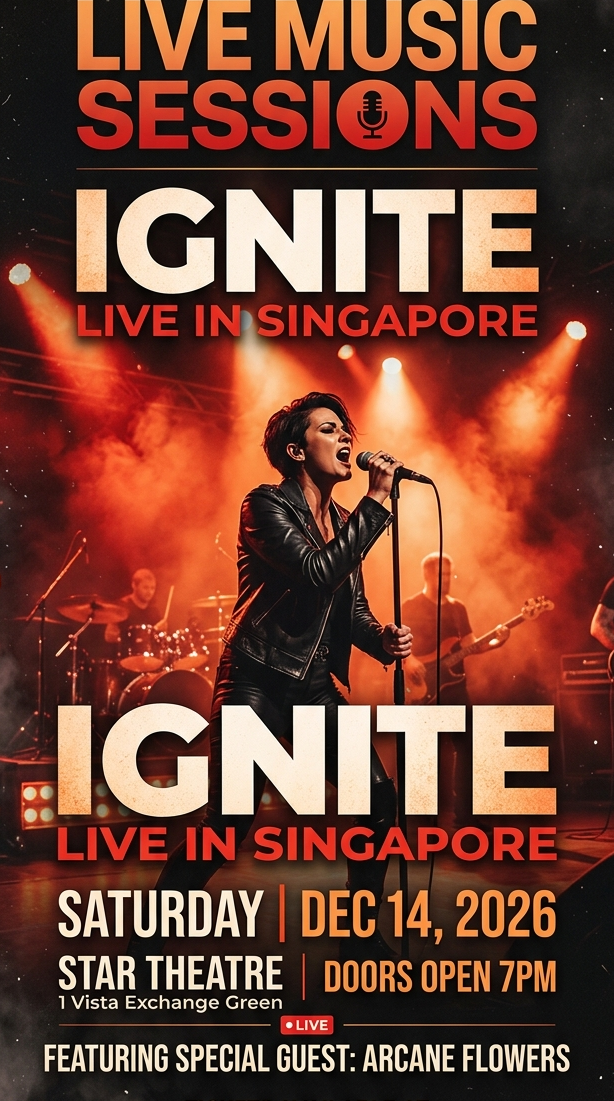 演出海报
演出海报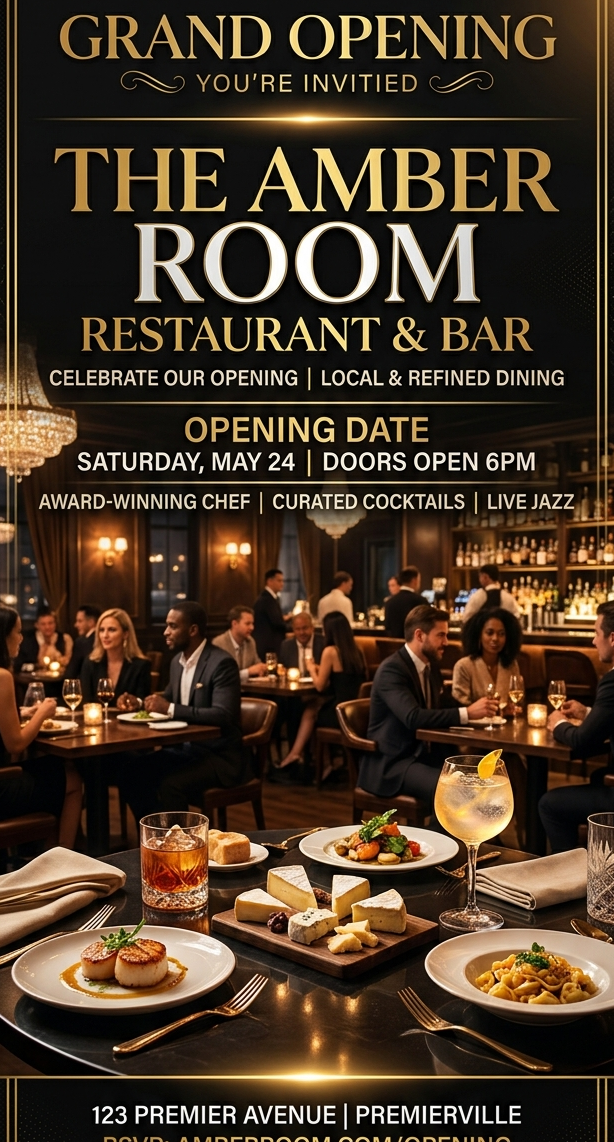 餐厅开业海报
 HOLIDAY SALE FLYER
 TALENT SHOW POSTER
These examples focus on flyer designs that benefit from becoming short-form motion assets instead of staying static.
以已经定稿的演出海报为第一帧,增加灯光扫动、镜头漂移和舞台氛围,让海报更适合售票前的传播。
通过暖光、烟雾和轻微推镜,把静态开业海报扩展成适合本地推广与开业预热的短视频素材。
Reuse sale artwork across ads and stories by adding movement, depth, and a faster promo rhythm to the original layout.
Turn a static campus poster into something students actually stop to watch on Reels, TikTok, and stories.
A video flyer is a short promotional video that keeps the layout and message of a flyer while adding motion for digital channels like stories, reels, and ads.
Yes. Upload the flyer image and use FreyaVideo to animate it into a short MP4 clip.
Flyers with a clear headline, readable hierarchy, and one main promotional message usually convert best into short-form video output.
No. It also works for restaurant launches, retail promos, sales flyers, and other campaign graphics that need more motion impact.
Short video flyers usually perform best. In many cases 4 to 8 seconds is enough to show the design, add motion, and land the message.
Video flyer maker searches usually signal output intent: the user wants a flyer-style promo, but in video format. This page is written for that exact intent rather than for generic image animation.
Video flyers are most useful when the same campaign needs more stopping power in fast, scroll-based distribution channels. Launch teasers, Paid social promo, Story and reel distribution, Campaign asset reuse.
Build a video flyer from a static design by using the original flyer as your first frame, then generating motion output for stories, reels, and short promos.
It gives teams a fast path from static design asset to distribution-ready video flyer output.
Upload the finished flyer or promo graphic you want to turn into a video flyer.
Use prompts to control pacing, depth, glow, zoom, or ambient movement so the flyer feels alive on social.
Render a short MP4 video flyer built for feeds, stories, or paid placements, then iterate if you want a second cut.
这些页面刻意复用了同一套已经验证过的 SEO 交互结构,真正变化的是关键词定位、页面文案,以及最后接入的传单图片和视频素材。
如果输入本身就是最终要投放的 flyer 设计,而不是概念稿或情绪板,成片通常会更稳定,也更符合页面承诺。
交互可以保持一致,但 H1、metadata、FAQ 和正文语义需要持续区分,避免不同传单页写成同一页。
只要素材目录和文件名保持稳定,页面就能直接读取最终图片和视频,不需要再补一轮接线工作。
好的 prompt 应该增加景深、镜头和氛围,而不是破坏原始 flyer 的文字层级和主要信息结构。